How do I set integration reseller prices and check business billing in Kickcall?
Compare Kickcall wholesale and reseller integration prices, and check how each business package controls itemized integration charges on invoices
Written By Maruf Ansari
Last updated 9 days ago
Every paid integration in My Integrations carries two prices: the Wholesale Price Kickcall charges your Agency, and the Resell Price you charge your Businesses. Getting these right — and connecting the Resell Price to the correct Business pricing package — determines whether you capture margin on integrations or absorb the cost yourself.
Integration Resell Pricing and Wholesale Price Overview
Integration Resell Pricing and Wholesale Price allows Agency administrators to manage how integration costs are charged to Businesses. Kickcall sets the Wholesale Price, which is billed to the Agency per connection, per location, each month, while the Agency sets the Resell Price charged to Businesses. You can configure or update Resell Prices and enable the Charge Additional for Integration option in Business Packages to include these charges in Business invoices. If this option is disabled, the Agency absorbs the wholesale cost instead of charging the Business separately.
Important notes
The Wholesale Price is set by Kickcall and cannot be edited by the Agency.
Free integrations show a Free pill instead of a wholesale price.
Updating the Resell Price affects future invoices only — already-issued invoices are not retro-changed.
The Charge Additional for Integration toggle is set per package, so you can mix itemized and bundled strategies across different Businesses without changing the Resell Price itself.
Wholesale pricing is never shown to Businesses — they only see your Resell Price, and only when their package itemizes integrations.
Before you start
Access to My Integrations in the Agency Portal.
Access to Configuration → Pricing to review or create Business packages.
A decision on your packaging strategy — itemized integration charges versus a flat bundled price.
Set the Resell Price and connect it to billing
Open My Integrations and locate the integration. The Wholesale Price appears as a green pill in the top-right of the card
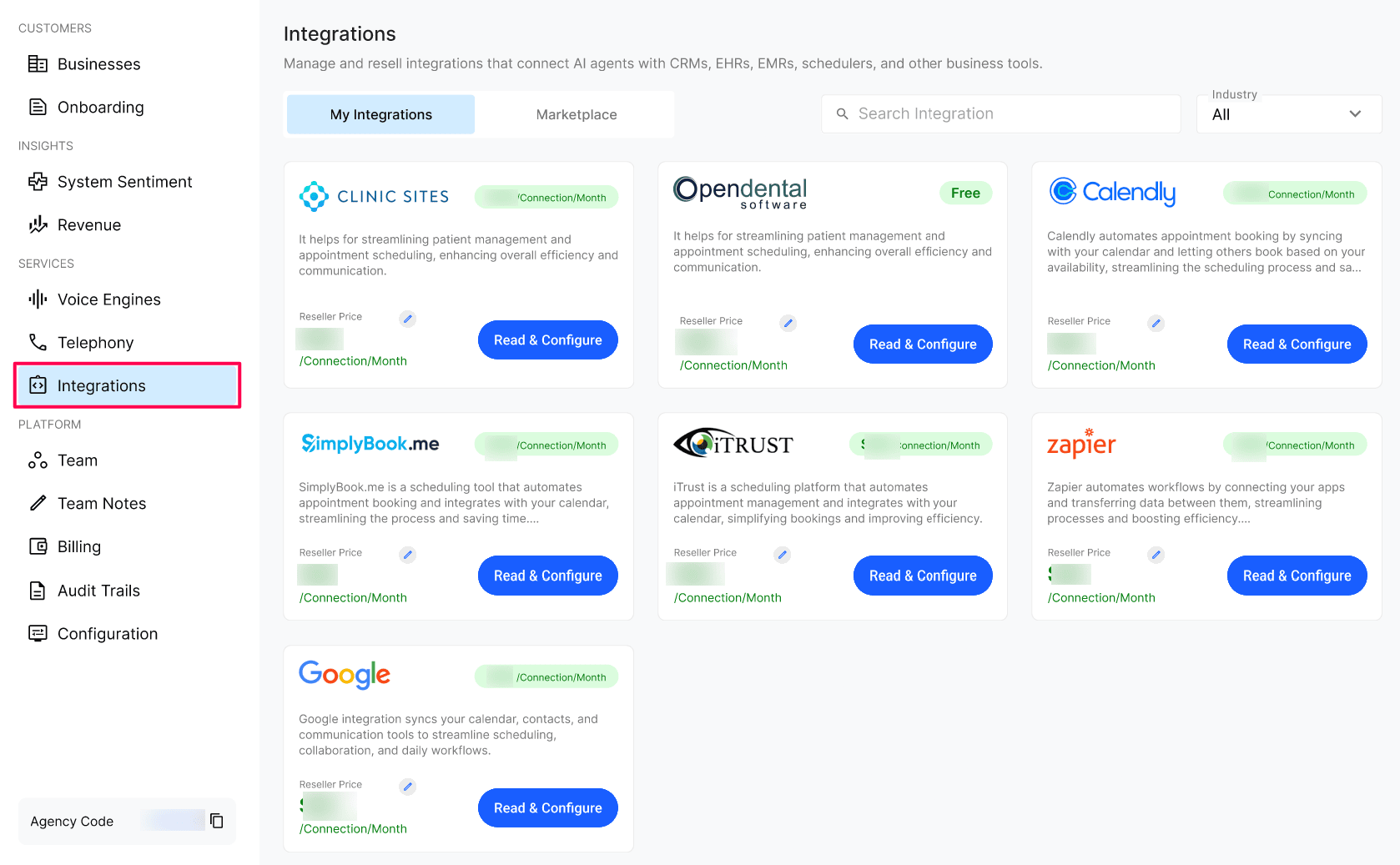
Select the pencil icon next to the Resell Price (shown as Reseller Price) and enter a value at or above the wholesale price. Save your change
Go to Configuration → Pricing and open the Business package you want to review or create.
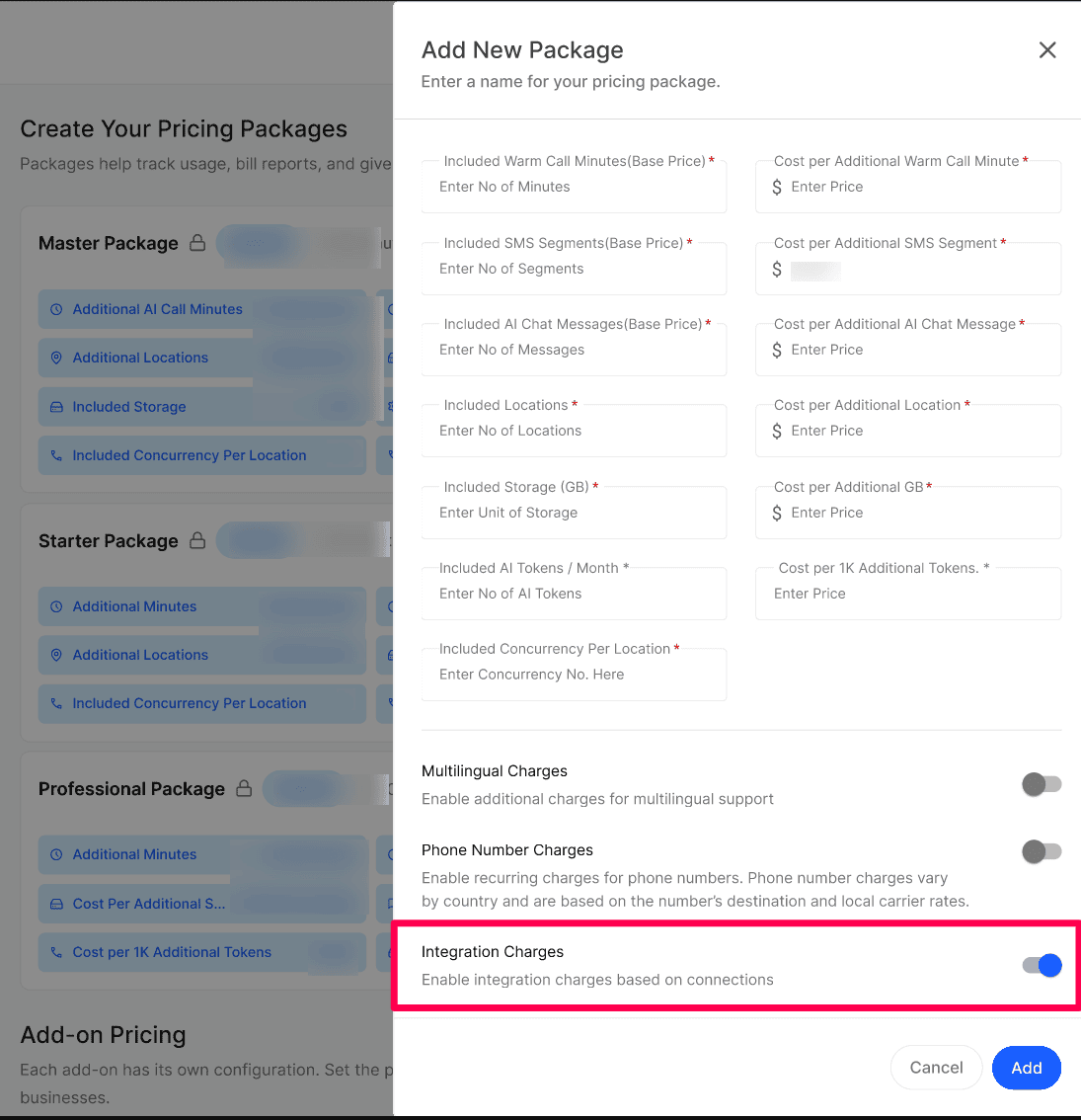
Enable Charge Additional for Integration if you want Kickcall to add itemized integration charges, based on your Resell Price, to that package's invoices. Leave it off if the package is a flat/bundled plan that already absorbs integration costs.
Expected result
The integration card shows your updated Resell Price. For Businesses on a package with Charge Additional for Integration turned on, their next invoice includes a separate line item for the integration billed per connection/location/month. Businesses on packages with the toggle off continue to pay only the flat package price.
Verify the result
Reopen the integration in My Integrations and confirm the Resell Price shows the value you entered.
Open the Business package in Configuration → Pricing and confirm the toggle state matches your intended strategy.
Review the next invoice cycle for a connected Business to confirm the integration charge appears (toggle on) or does not appear (toggle off) as expected.
Troubleshooting
Frequently Asked Questions
Can I set my Resell Price below the Wholesale Price?
Can I set my Resell Price below the Wholesale Price?
It's not recommended - you'd be losing money on every connection. The pricing field accepts the value, but you should treat the wholesale price as your floor.
What does "per connection / per location / per month" mean exactly?
What does "per connection / per location / per month" mean exactly?
If a Business has 3 locations and you connect the same integration for all 3, that's 3 billable connections per month. If you only connect it for 1 location, that's 1 connection.
Will my Businesses see the wholesale price?
Will my Businesses see the wholesale price?
No. Wholesale pricing is internal to the Agency. Businesses only ever see your resell price (and only when your package is configured to itemize integrations).
If I change the Resell Price, are existing connections re-billed at the new rate?
If I change the Resell Price, are existing connections re-billed at the new rate?
The new price applies to future billing cycles. Invoices already generated for the current cycle stay as-is.
Can I set a Resell Price on a free (Wholesale = Free) integration?
Can I set a Resell Price on a free (Wholesale = Free) integration?
Yes — it's entirely the Agency's choice. Even though Kickcall doesn't charge you a wholesale fee, you can still set a Resell Price and bill your Businesses for that integration (as long as their package has Charge Additional for Integration turned on). Or you can leave it at zero and offer it free to your Businesses. Either approach is supported.
Related articles
Was this helpful?
Still need help? Ask the team