📋 Smarter onboarding tracking, plus more control over your agency’s pricing and setup
New Enhancements: Onboarding Pipeline Upgrades
An onboarding that quietly sits for two weeks can cost you a customer. Every onboarding now shows how long it has been in its current stage. You can also flag the ones blocked on engineering, and lost or stale records no longer clutter your list.
What’s New:
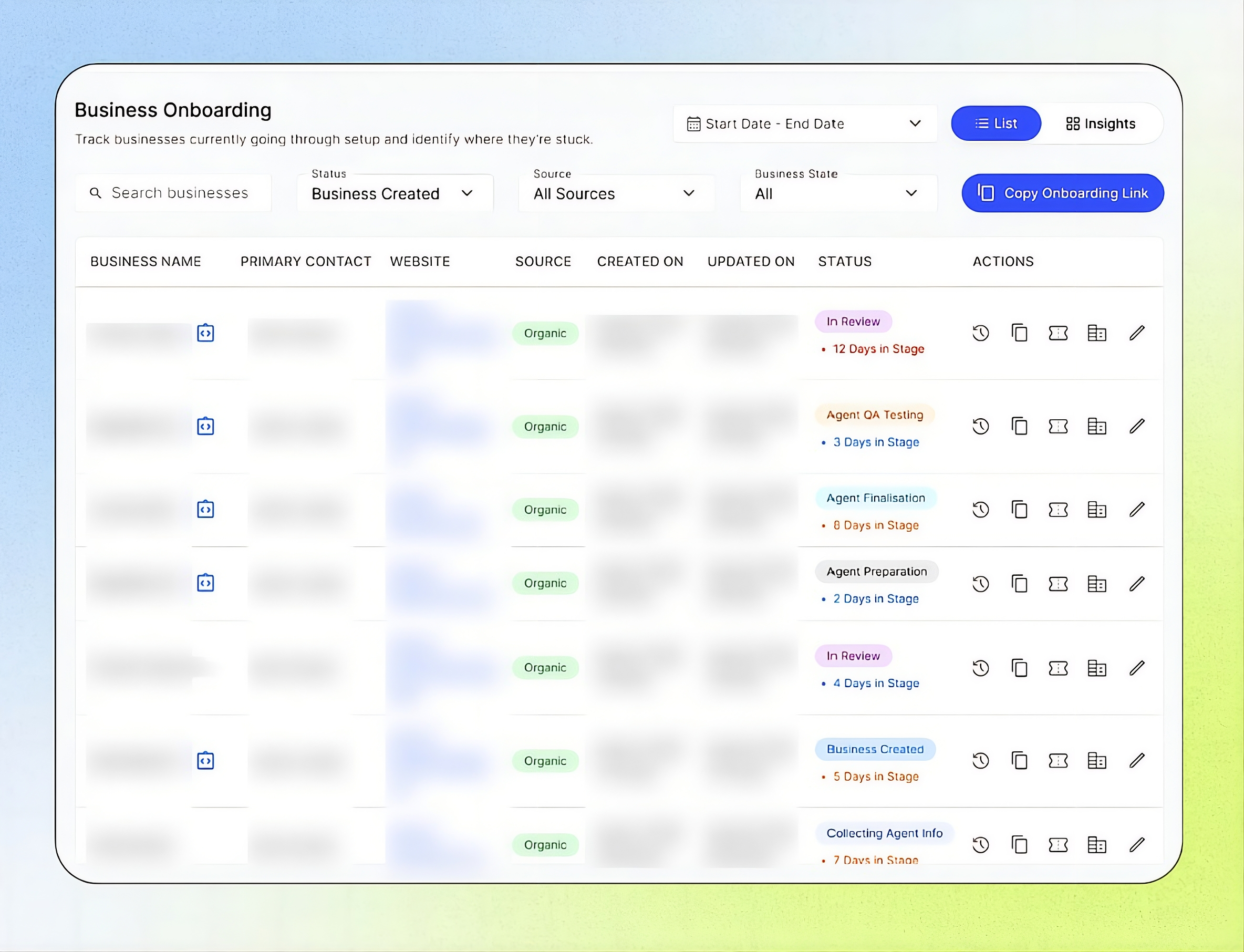
New Awaiting Engineering status: Flag an onboarding that’s waiting on engineering work, like a custom integration or a telephony provisioning issue, before Business Setup. It’s the only manual status you can set before the Business is created, so your team always knows why an onboarding hasn’t moved. See Onboarding Statuses.
Days in Stage on every status: A counter under each status badge shows how many days the onboarding has been in its current stage, and it resets whenever the status changes. The counter turns from blue to orange to red the longer an onboarding sits, so the ones that need a follow-up stand out right away. See All Onboardings & Actions.
Lost on Onboarding now cleans up after itself: When you mark an onboarding as Lost on Onboarding, the Business created for it is automatically deleted from the Businesses module. The onboarding record stays for future reference, and you confirm the change by typing the Business’s exact name, so nothing gets removed by accident. See Internal Process.
Archive onboarding records: Archive completed, cancelled or stale onboardings to keep your active list focused. Archived records keep their history log, ticket references and audit events, and you can still find them through search and filters.
Impact Created:
Stuck onboardings surface on their own instead of waiting for someone to notice. Your team knows which businesses need a nudge today and why an onboarding is on hold. Lost deals also no longer leave unused Businesses behind in your account.
For more details, see Onboard a Business from Form Intake to Go-Live.
Enhancements
Offer Concurrency Limit as an add-on: Businesses can now buy extra simultaneous call capacity from their Add-ons page, so callers don’t hit a busy line at peak times. Turn on Offer this Add-On in Add-on Pricing and set the setup fee and the additional price per concurrency. Businesses can raise or lower their limit anytime, and the extra capacity applies across all their numbers and AI agents. Charges are prorated for the current billing cycle, and lowering the limit takes effect on the next cycle.
Choose your own notifications: Notification Preferences now lets you turn each Agency Portal alert on or off, separately for In-App and Email. Choose alerts for events such as Business Onboarding Payment Received, Onboarding Form In Review, Business Monthly Billing Failed, Integration Synchronisation Failed, Business Status Changed, and Engine Update Available. Each toggle saves instantly, and your choices don’t change what your teammates receive.
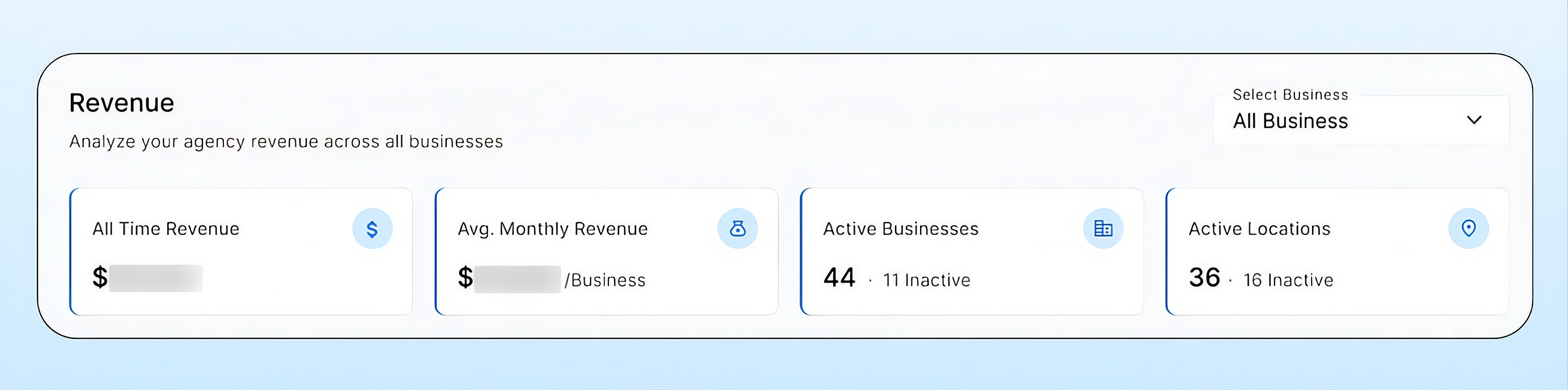
New cards at the top of the Revenue dashboard: See All Time Revenue, Avg. Monthly Revenue, Active Businesses, and Active Locations the moment you open the page. Active Businesses and Active Locations show the inactive count beside them, so you can compare at a glance. Pick a single business from the filter and every card, chart, and table updates to match.
Total discount cap on coupons: Percentage coupons can now carry a Total amount, a maximum discount spread across billing cycles. Each cycle’s discount is taken from the pool, and once it reaches $0 the Business pays full price. For example, a 50% off coupon with a $400 cap keeps discounting month after month until the $400 is used up, so long-running promos never cost more than you planned.
More inclusions in Business Packages: Packages now include Concurrency per location, AI Tokens, and SMS Segments, each with an included amount and its own rate for usage above that amount. Edits apply going forward and appear on the next month-end bill.
A cleaner, better organized Agency Portal navigation: The sidebar is now grouped into clear sections: Customers, Insights, Services and Platform, so you can find what you need faster. Configuration now opens a menu split into Whitelabel & Setup and Agency Only, and Coupons, API Keys and Webhooks have moved there. All your setup now lives in one place.