Connect Phone — Put Your Agent on a Real Number
Written By Anand Raj
Last updated 2 months ago
Connect Phone is where you attach a phone number to your agent so it can start answering inbound calls — whether that's your main business line, an after-hours overflow number, or a dedicated AI number just for your agent.
Kickcall is built to work with the telephony setup you already have. Instead of forcing you to migrate to a specific provider, it plugs into the carriers and phone systems your business or agency is already using — so getting your agent on a real number is fast and flexible.
Note: your agent can only start taking inbound calls once a phone number or telephony connection has been successfully configured here.
Where to find it
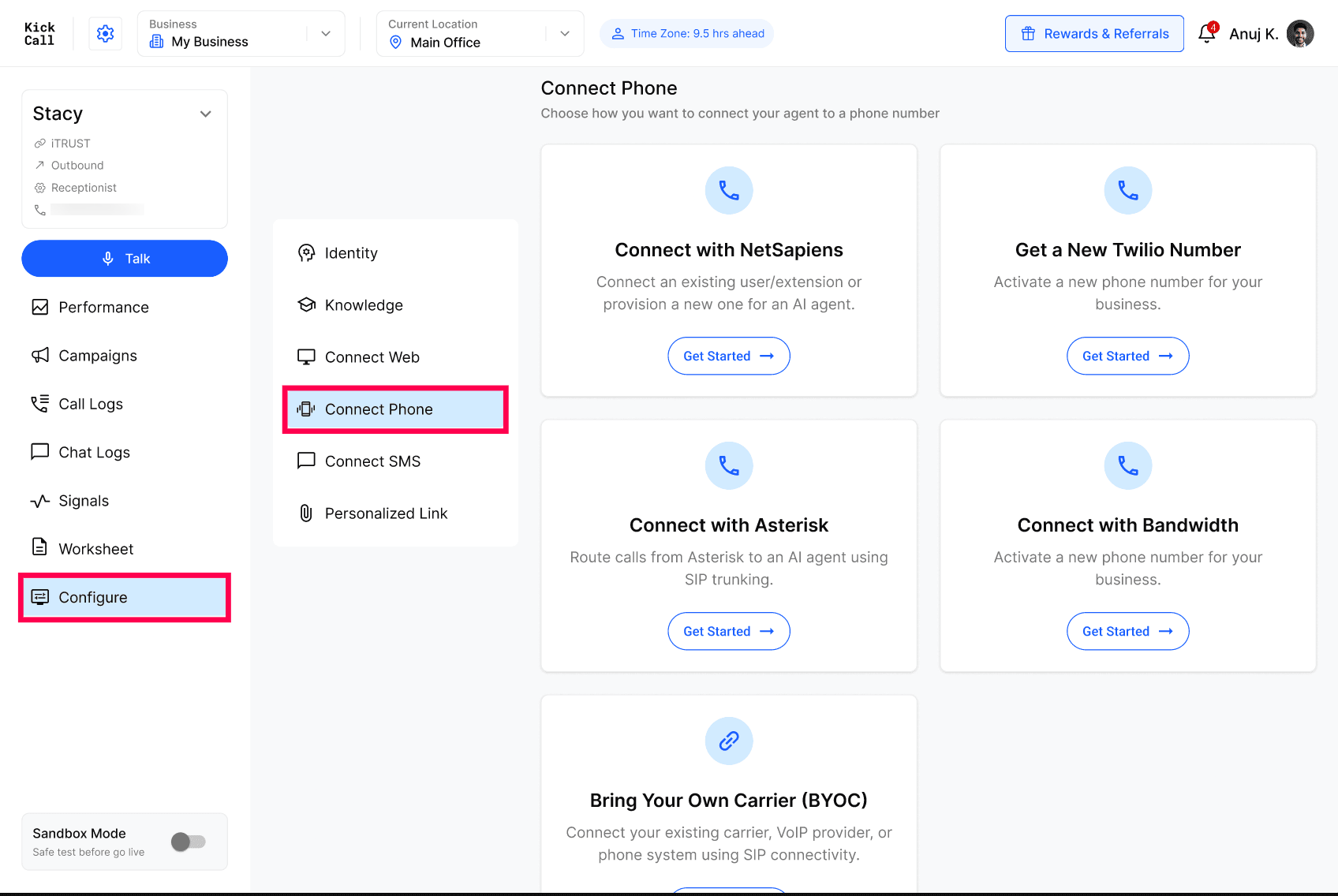
Go to Agent → Configure → Connect Phone.
Pick the connection method that matches your telephony setup, and follow the guided steps for that provider — each option has its own short setup guide with the exact prerequisites.
Supported options
Connect Phone gives you three broad ways to bring a number to your agent — Native Carrier, Call Forwarding, and SIP Connectivity. Within Native Carrier, Kickcall supports several providers directly:
Twilio — Get a brand-new Twilio number directly from Kickcall, or connect a number you already have in your Twilio account or agency. If your current business number lives with another provider, you can also forward calls to your Twilio number and let your agent answer from there.
Bandwidth — Provision a new Bandwidth number for your business and connect it to your agent in a few clicks. A good fit if Bandwidth is already your telephony provider.
Asterisk — Route calls from your self-hosted Asterisk PBX to your agent over SIP, while keeping your existing extensions, IVRs, and call routing exactly as they are.
Bring Your Own Carrier (SIP Connectivity) — If your carrier or PBX isn't natively integrated but supports SIP, you can connect it yourself using SIP credentials. This covers providers like RingCentral, 3CX, Telnyx, Vonage, Plivo, Jambonz, FusionPBX, NetSapiens-compatible SIP deployments, and other SIP-based systems.
NetSapiens (Coming Soon) — Connect an existing NetSapiens user or extension straight to your agent, or provision a new extension from your agency's NetSapiens domain — all without leaving Kickcall.
Call Forwarding — Not ready to change anything on your phone system? Forward calls from your existing number to a Kickcall number and your agent picks up from there — no SIP or carrier changes required.