📈 Know how your outbound calls perform, plus big updates to Telephony, Team, and SMS
New Feature: Outbound Agent Performance Dashboard
Your AI agent can place hundreds of calls a week. How many reached a real person, and what did it get done once they picked up? The new Outbound Agent Performance dashboard answers both on one screen.
What’s New:
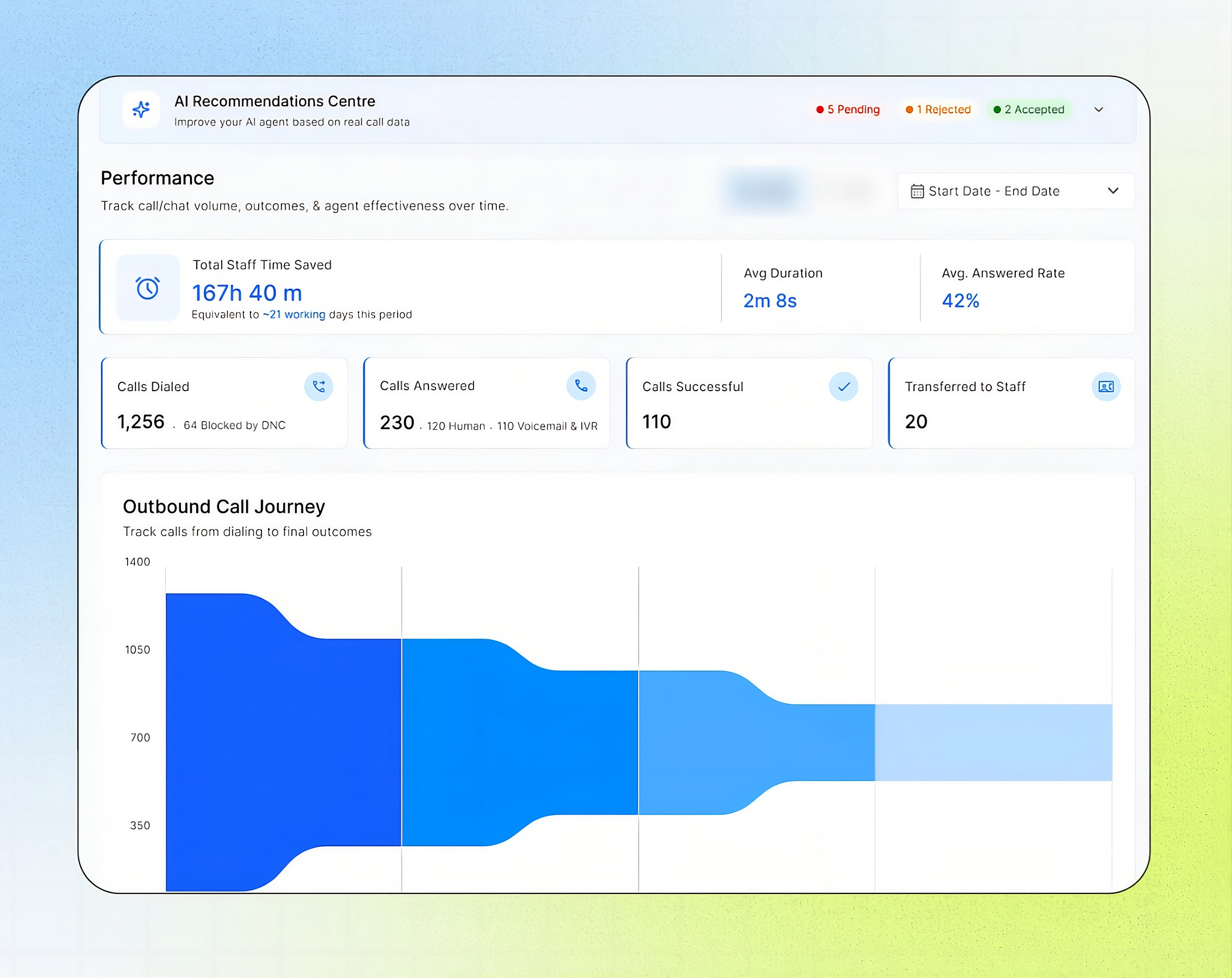
Dialing results at a glance: See Calls Dialed, Calls Answered, Calls Successful, and Transferred to Staff for any date range, plus your Average Answered Rate. Calls blocked by Do Not Call show up right beside Calls Dialed.
Real people vs voicemail: Answered calls are split into Human and Voicemail & IVR, so you know how many calls actually reached a person.
Outbound Call Journey: Follow every call from Dialed to Connected to Answered to Successful, and see exactly where calls drop off. If 1,256 calls were dialed and 985 connected, you can see that 271 calls (22%) never connected, then check the End Reason in Call Logs to find out why.
Tasks Completed: See what your agent did while the person was on the line, such as notes taken, patients created, and appointments cancelled or rescheduled.
Best hours to call: The Answered Call Rate vs Hours of Day chart shows when people pick up, in two-hour windows, so you can schedule calls when answers are highest and drop the weakest windows.
AI Recommendations Centre: Suggestions based on your real call data sit at the top of the page, with counts for Pending, Accepted, and Rejected.
Impact Created:
You stop guessing why outbound calls aren’t landing. Move your calling hours to the windows with the most answers, find the stage where calls are dropping, and measure what your agent completes, all from one dashboard.
Major Enhancements
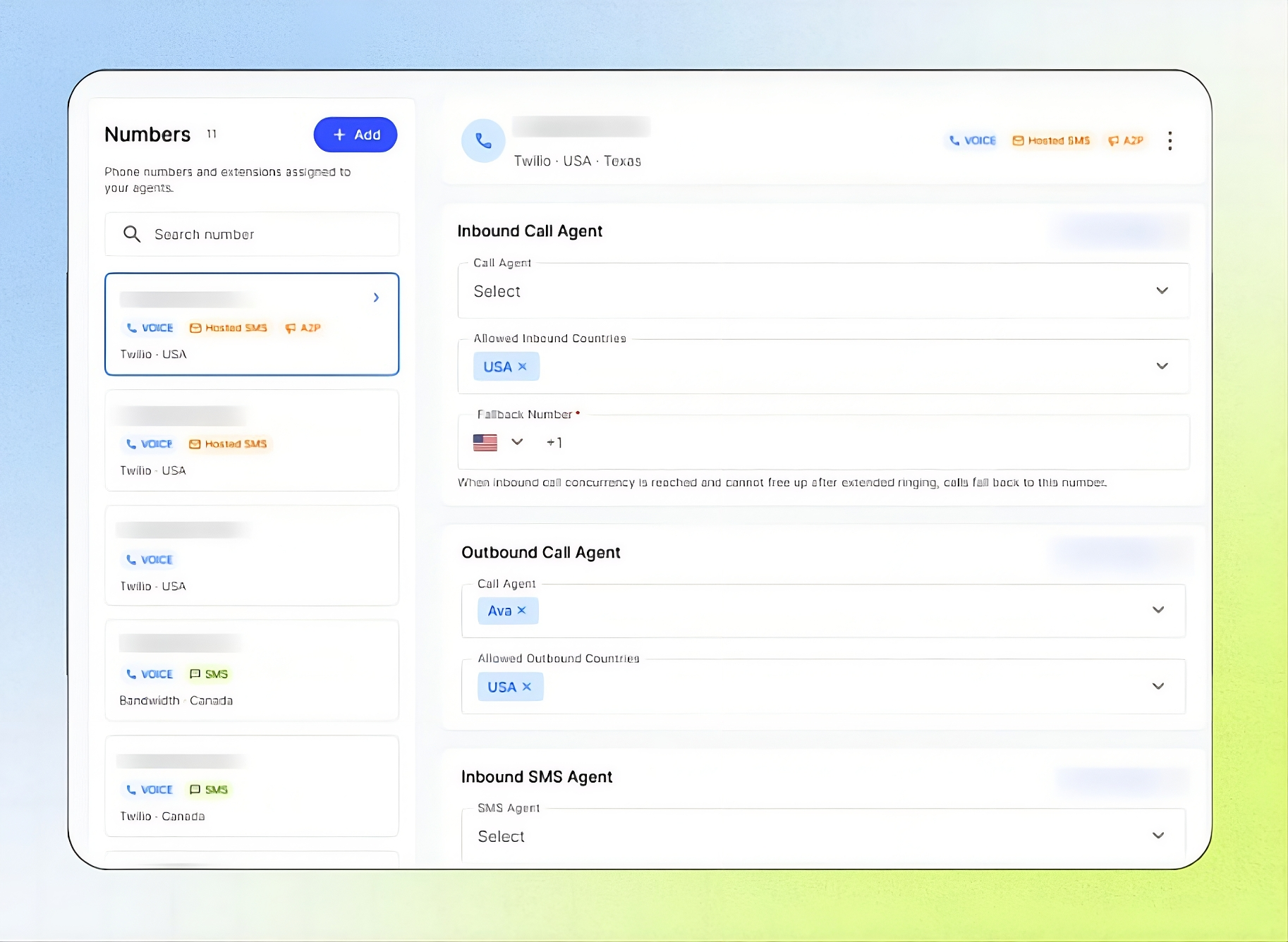
A cleaner Telephony page: Every phone number and extension now has its own page under Telephony. From there you can assign the Call Agent and SMS Agent for that number, choose which countries can call in or be called, set a Fallback Number for when all lines are busy, and turn on Host SMS or A2P registration. Add a number by buying a Twilio or Bandwidth number, or connect your own phone system through SIP.
Team and Operators, now in one place: Every person in your business now lives on the Team page. Give each member a role: Business Admin, Location Admin, or Operator (no platform access). Set their working hours, breaks, and off days, and your agent checks that schedule before it transfers a call, emails a summary, or sends an SMS. If someone is on a break or on leave, callers hear that the team isn’t available instead of being sent to a phone nobody will answer.
SMS your agent sends now counts toward your usage: Text messages your agent sends to callers and to your team members are now counted and billed. Track how much you’ve used on the Usage page, where the SMS bar shows your usage against what your plan includes.
Automatic reply when someone texts your business: When a customer sends a text to your business number, your agent now replies with a personalized link to the agent, so they can book or ask their question right away instead of waiting for a callback.