Other Carriers
Written By Maruf Ansari
Last updated About 2 months ago
Other Carriers covers the telephony providers businesses purchase service from directly — AT&T, Comcast, Cox, FluentStream, Google Voice, RingCentral, Spectrum, T-Mobile, Verizon, and generic SIP Connectivity. Unlike Asterisk or NetSapiens, there is nothing to configure or connect at the agency level for these carriers.
As the agency, your only role is to control which of these carriers appear as options on the business onboarding form. Once a carrier is enabled, each business connects to it themselves, using whichever connection type that carrier supports — Call Forwarding, SIP Registration, or SIP Trunking.
Nothing to configure here. Toggling a carrier on or off only controls whether it appears on the business onboarding form. Kickcall doesn't store or manage credentials for these carriers — businesses configure the connection directly on their end.
Where to manage this
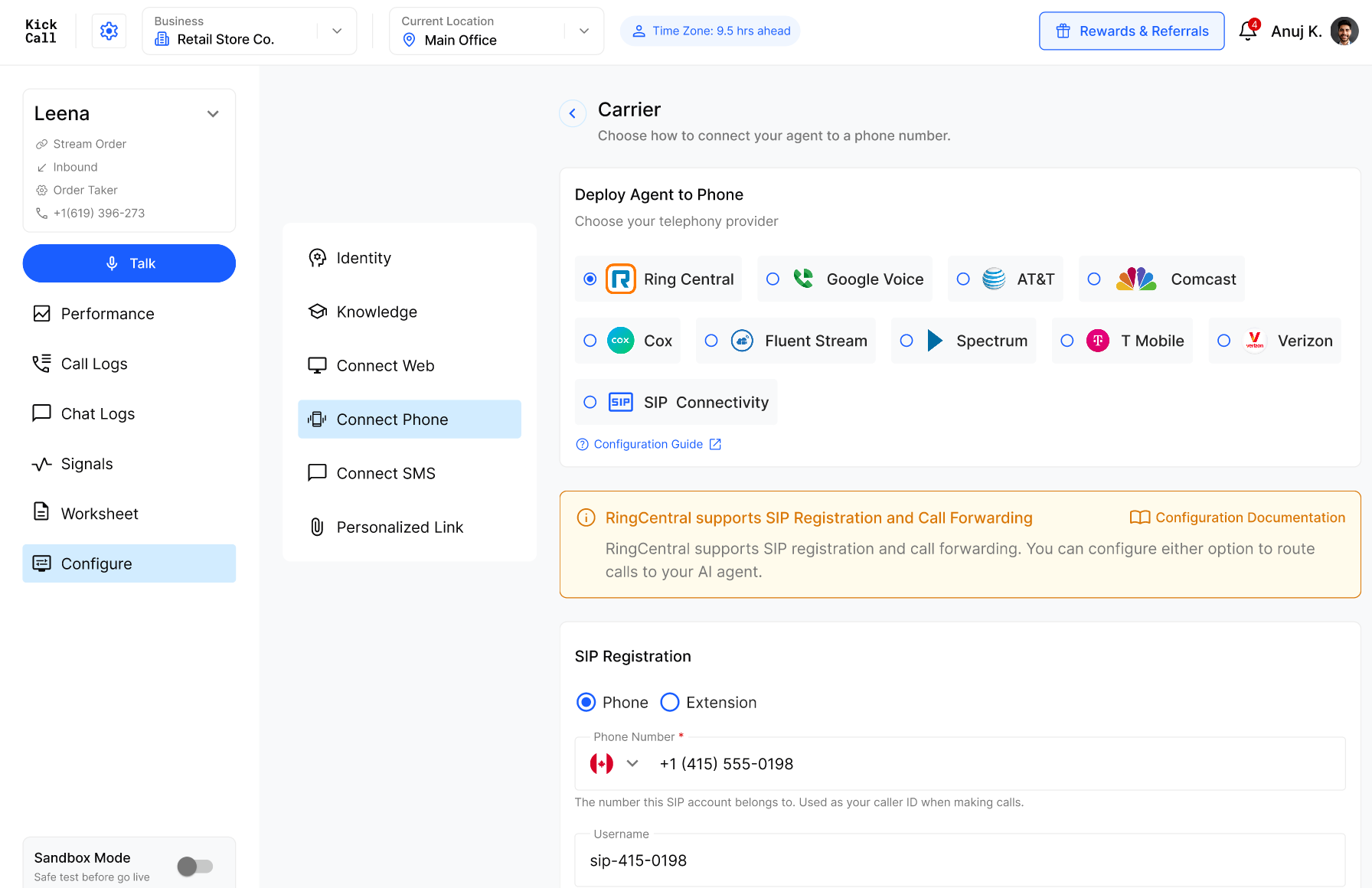
Go to Telephony → Others in the agency dashboard. Each carrier is listed as a card showing:
Toggle — controls whether the carrier appears on the business onboarding form.
View Documentation — opens that carrier's setup guide.
Tags — show which connection type(s) the carrier supports: Call Forwarding and/or SIP Connectivity.
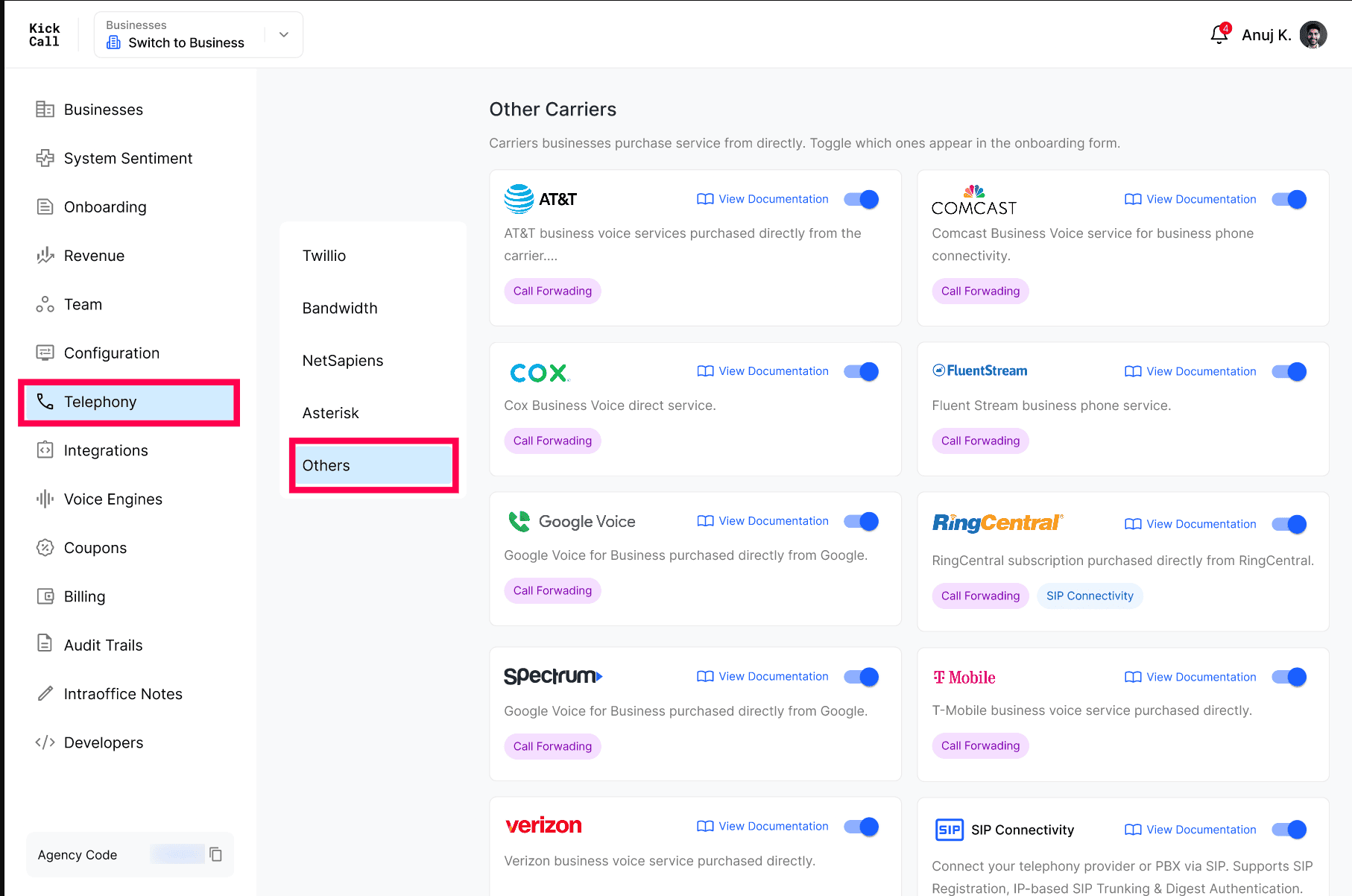
Turning a toggle off simply removes that carrier as an option for businesses going through onboarding — it doesn't affect businesses already connected to it.
Connection types by carrier
Each carrier supports one or more connection types. This is what determines the setup steps a business follows on their end.
SIP Connectivity
SIP Connectivity is for businesses that want to manually connect their own telephony provider or PBX via SIP, rather than using a named carrier integration. It's the most flexible option, and supports both connection types:
SIP Registration — the business's SIP account registers with Kickcall using a phone number or extension, along with a username, password, and optional authentication credentials.
SIP Trunking — the business connects a SIP trunk directly, typically used for PBX or provider-hosted trunking setups.
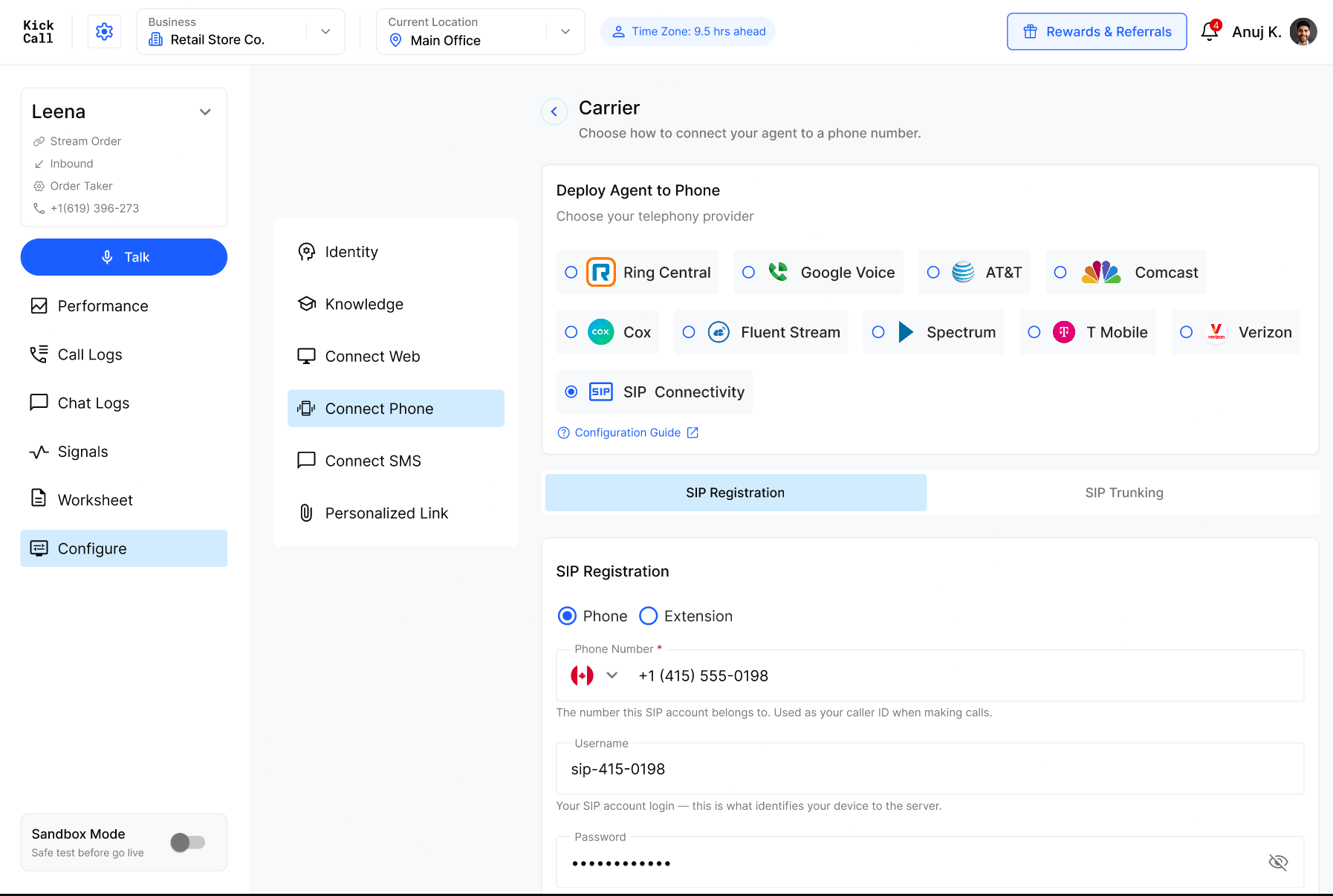
The business chooses at setup time. When configuring SIP Connectivity, the business picks between the SIP Registration and SIP Trunking tabs based on whatever their provider or PBX requires.
RingCentral
RingCentral is the only named carrier that supports SIP Registration in addition to Call Forwarding. Businesses can pick whichever fits their setup — SIP Registration for a direct SIP connection, or Call Forwarding for a simpler setup that forwards calls from their existing RingCentral number.
All other carriers (Call Forwarding only)
The following carriers currently support Call Forwarding only. Businesses on these carriers forward calls from their existing number to Kickcall — there's no SIP setup involved:
AT&T
Comcast
Cox
FluentStream
Google Voice
Spectrum
T-Mobile
Verizon
Documentation
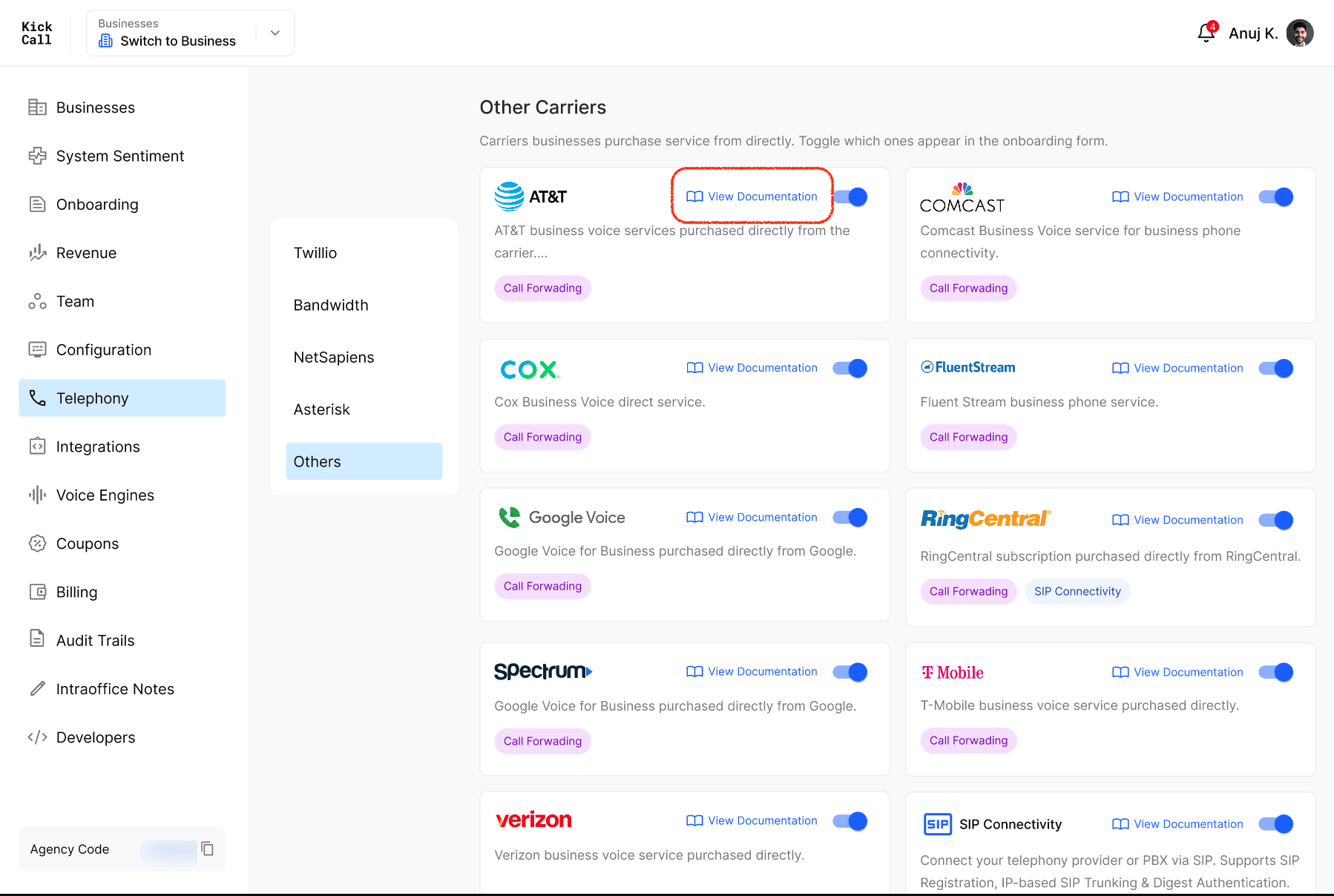
Every carrier card includes a View Documentation link. Businesses can click this to open carrier-specific setup instructions before configuring their connection — there's no need for the agency to provide separate instructions per carrier.
Managing Other Carriers per business
Toggling a carrier in Telephony → Others makes it available agency-wide — but each business still needs the carrier checked at their own level before they can use it. This gives you control over which carriers a specific business can choose from, even if more are enabled for the agency as a whole.
Steps to enable a carrier for a business
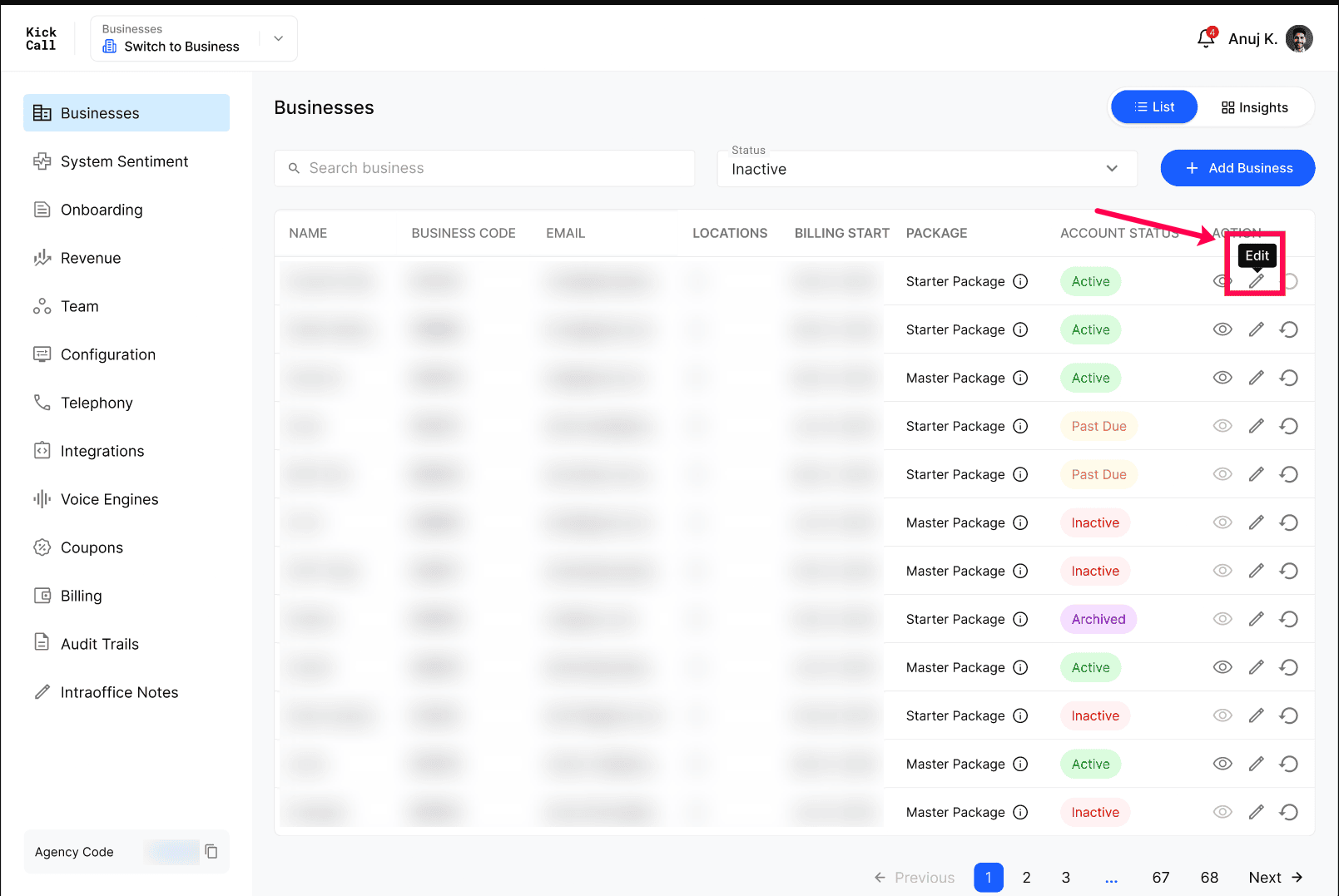
Go to Businesses in the agency dashboard.
Find the business and click the Edit (pencil) icon in the Action column.
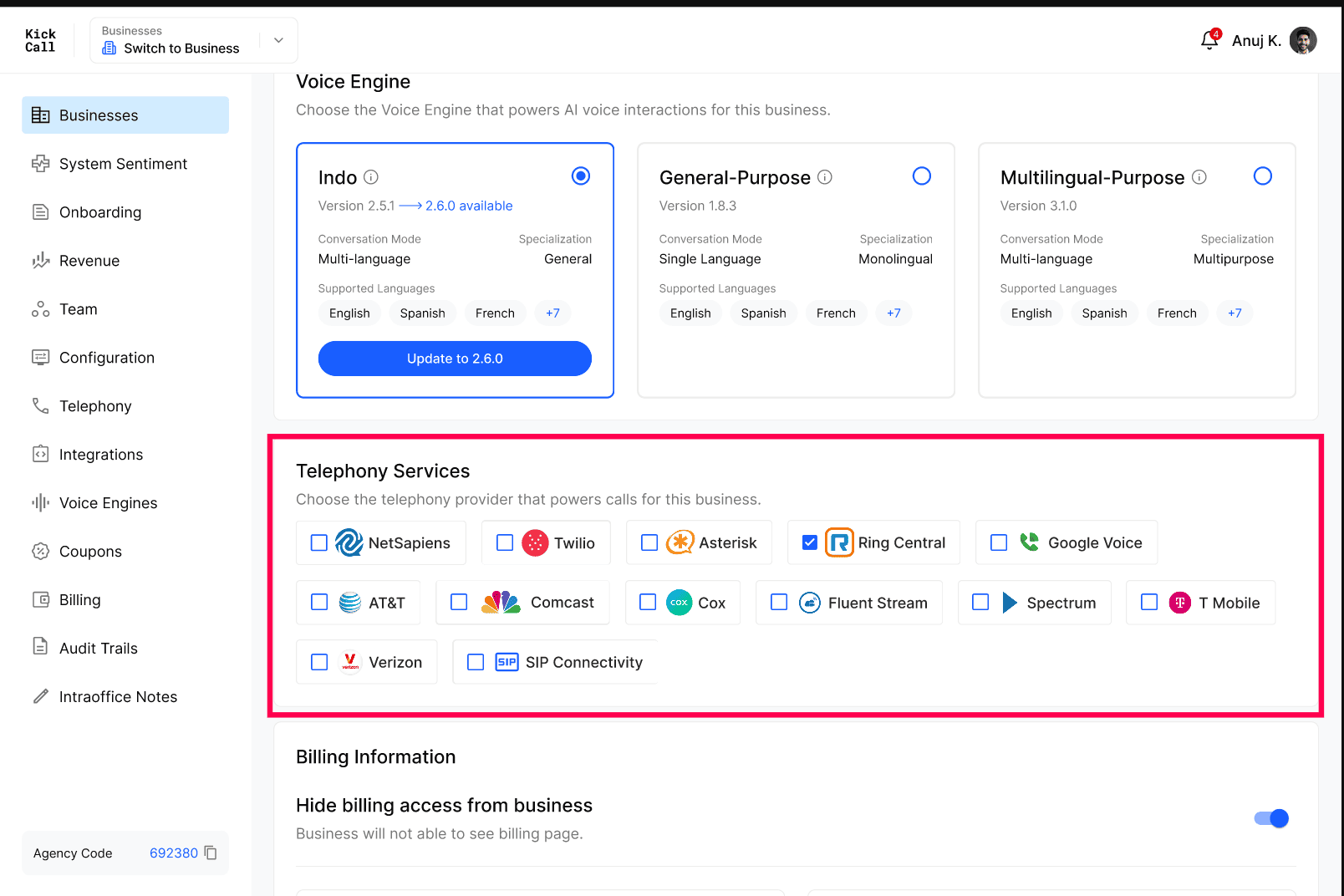
Scroll down to the Telephony Services section.
Check the box for each carrier you want that business to have access to — AT&T, Comcast, Cox, FluentStream, Google Voice, RingCentral, Spectrum, T-Mobile, Verizon, or SIP Connectivity.
Click Update to save.
What businesses see
On the business side, these carriers live under Connect Phone → Bring Your Own Carrier (BYOC) — separate from the NetSapiens, Asterisk, Twilio and Bandwidth options on that same screen, which are dedicated integrations rather than carrier toggles.
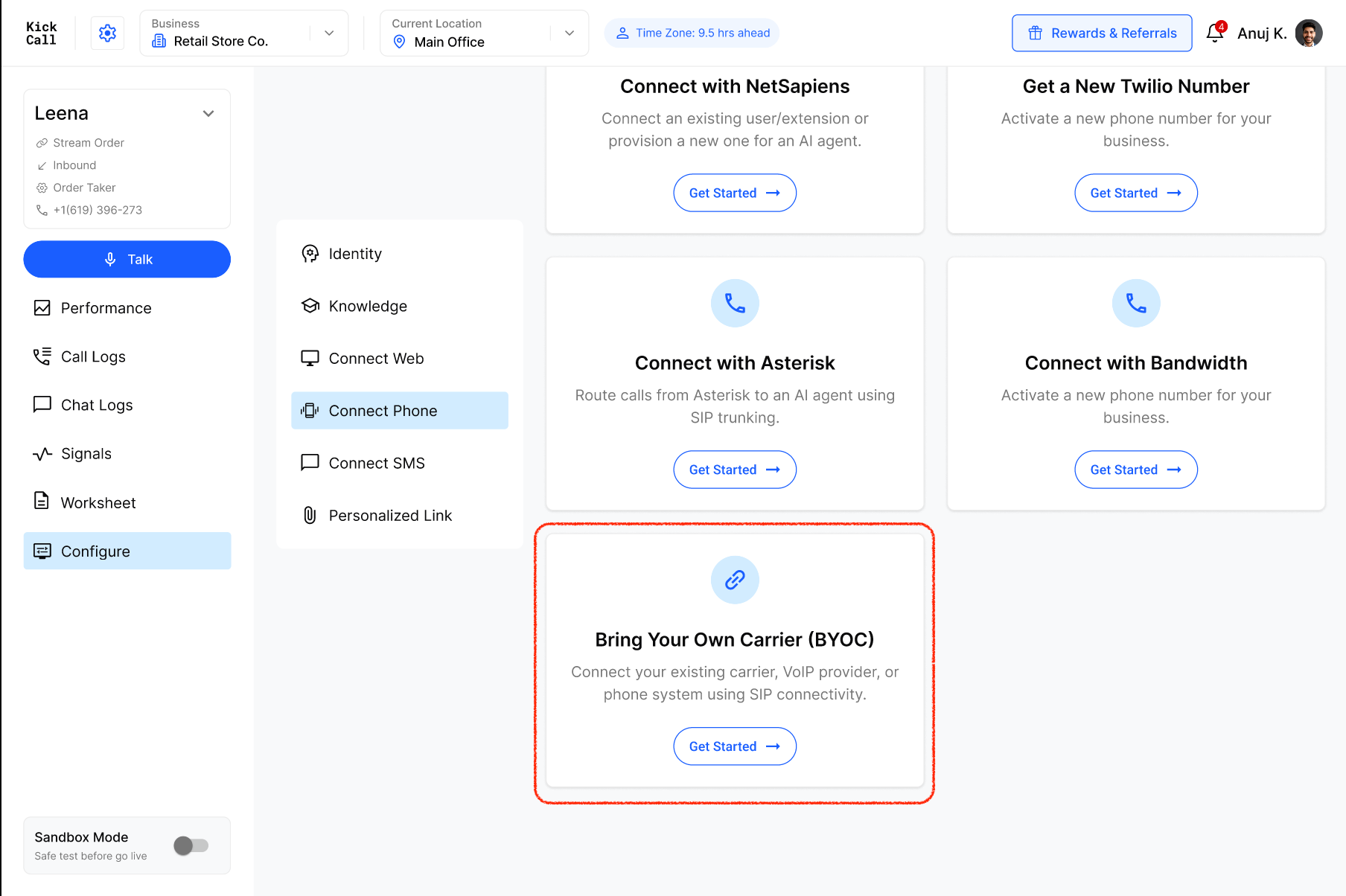
Inside BYOC, the business picks a Carrier and only sees the carriers the agency has enabled. Selecting a carrier shows which connection type(s) it supports — for example, choosing RingCentral surfaces a note that it supports both SIP Registration and Call Forwarding, with a link to that carrier's configuration documentation, before the business fills in their SIP or forwarding details.
The business completes this setup entirely on their own — nothing from BYOC needs to be shared with or configured by the agency.