How do I manage existing business discount coupons in Kickcall?
Find and edit business discount coupons in Kickcall, review their status and dates, and learn how archiving and restoring affect new applications
Written By Maruf Ansari
Last updated 9 days ago
The Coupons module helps Agencies close deals faster by offering promotional discounts to Businesses. From one list you can browse every coupon you have created, edit its details, and archive it when a campaign ends — without deleting its history.
Manage Coupons Overview
Manage Coupons allows Agency administrators to view and manage all agency discounts in one place. You can search and filter coupons, review their codes, types, usage, discount details, validity periods, and statuses, and edit coupon details when needed. You can also archive coupons to prevent new applications or restore them later. Active coupons can be applied to Businesses through the Business Billing page.
Important notes
The Coupon Type (Generic vs Business) is locked once the coupon is created and cannot be edited.
Archiving does not remove discounts already attached to a Business package — those continue until they expire.
Before you start
Know the code or name of the coupon you want to change.
If you plan to archive a coupon, confirm no upcoming deal depends on it — archived coupons stop working for new applications immediately.
Find a coupon
Go to Configuration → Coupons (under Whitelabel & Setup).
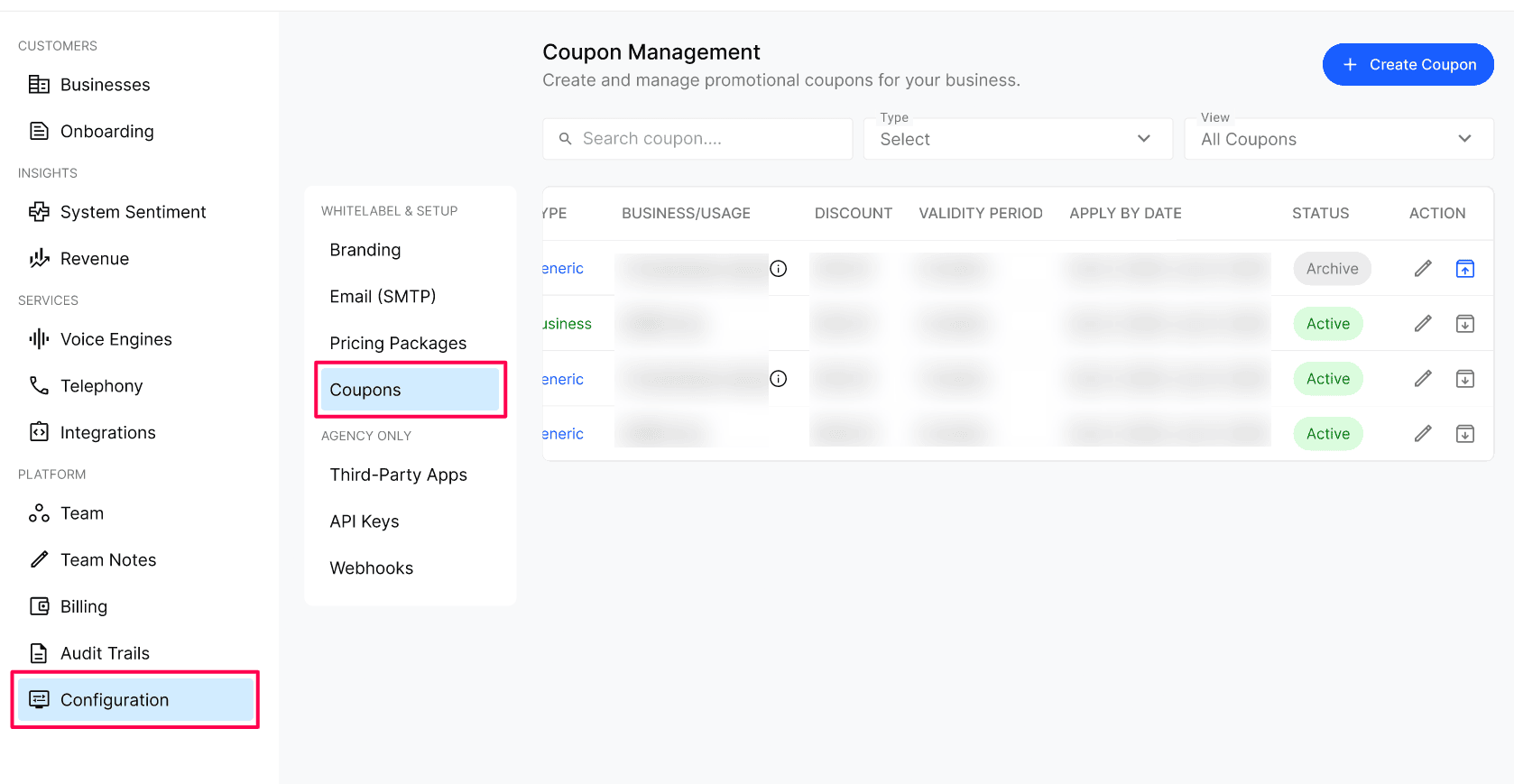
Use the search bar to find a coupon by code.
Use the Type filter to switch between Generic and Business coupons, and the View filter to toggle between All / Active / Archived coupons.
Edit a coupon
Click the pencil icon on the coupon's row.
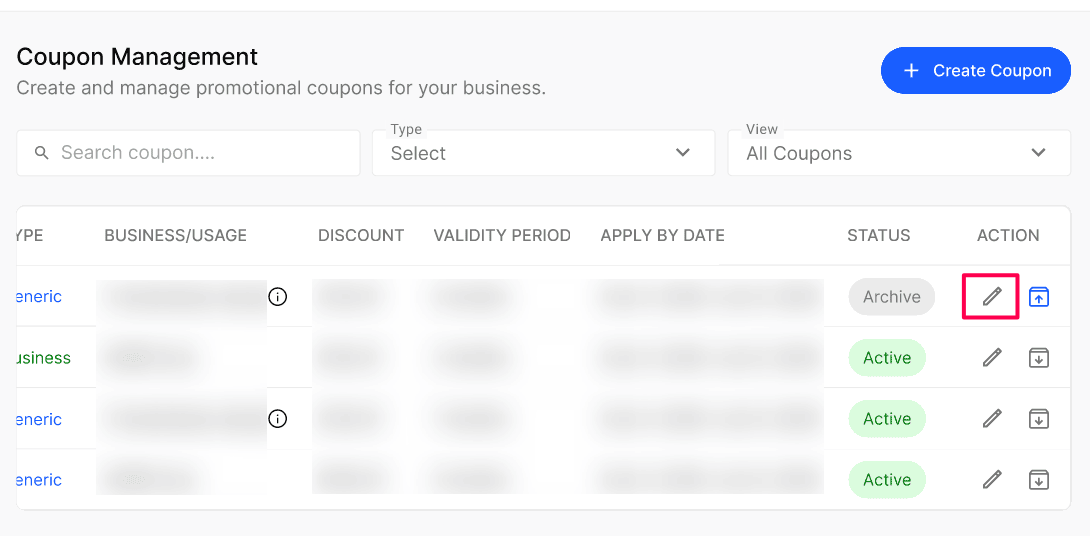
Update the Name, Code, Discount (% off or flat amount), Apply By Date range, or Validity Period (in months).
Save your changes.
Archive or restore a coupon
Click the archive icon on any coupon row and confirm in the dialog.
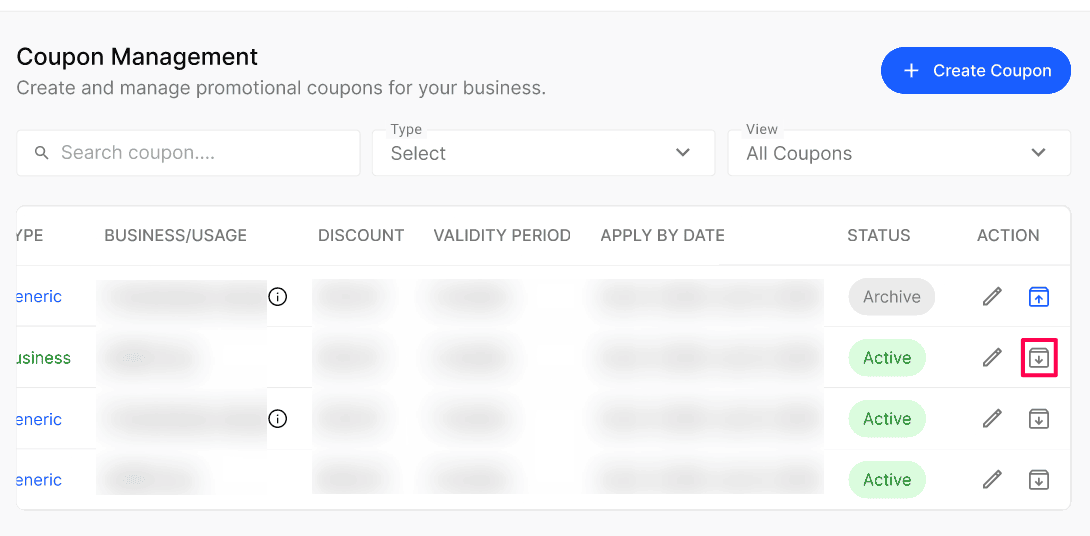
To restore, switch the View filter to Archived, find the coupon, and use the unarchive action(Blue icon).
Archived coupons:
Stop being applicable to any new Business going forward.
Continue to honor any existing application that was already attached to a Business package.
Can be restored from the Archived view at any time.
Expected result
Edited coupons show the updated values in the list immediately.
Archived coupons move to the Archived view and can no longer be applied on Business Billing.
Restored coupons return to Active and can be applied again.
Verify the result
After editing, reopen the coupon's row and confirm the new discount, dates, and validity are shown.
After archiving, open a Business's Business Billing page and confirm the coupon code is no longer accepted for a new application.
Confirm any Business that already had the coupon still shows the discount on its package.
Troubleshooting
Frequently Asked Questions
Where do coupons get applied?
Where do coupons get applied?
Coupons are applied from the Business's Business Billing page. Generic coupons can be used on any Business; Business-specific coupons can only be used on the Business they were created for.
Are these coupons synced with Stripe?
Are these coupons synced with Stripe?
Yes — if you are a Kickcall Stripe user, every coupon you create is automatically synced to your connected Stripe account so the discount is honored on Stripe-processed payments as well.
Does archiving a coupon affect Businesses already using it?
Does archiving a coupon affect Businesses already using it?
No. Archiving stops the coupon from being applied to any new Business, but Businesses that already have it attached continue to receive the discount until it expires.
Can I unarchive a coupon?
Can I unarchive a coupon?
Yes. Switch the View filter to Archived, find the coupon, and use the unarchive action to make it active again.
Related articles
Was this helpful?
Still need help? Ask the team