How Do You Update Your Business Details and Billing Address in Kickcall?
Keep your Kickcall business profile and billing address information up to date.
Written By Maruf Ansari
Last updated 9 days ago
Keep your Business account information accurate by updating its name, contact details, logo, and billing address. Business Profile stores the basic details that identify your business across Kickcall.
Important notes
The Friendly Business Name and Legal Business Name serve different purposes.
Keep the primary contact email current.
Update the billing address promptly when it changes.
Business Profile is different from My Profile, which contains your personal user details.
Changing the Business Number here should not be treated as changing telephony routing
Before you start
Have your current business details and billing address ready. Confirm the legal name against your registered business records.
Update business information
Open Business Profile in the Business Portal.
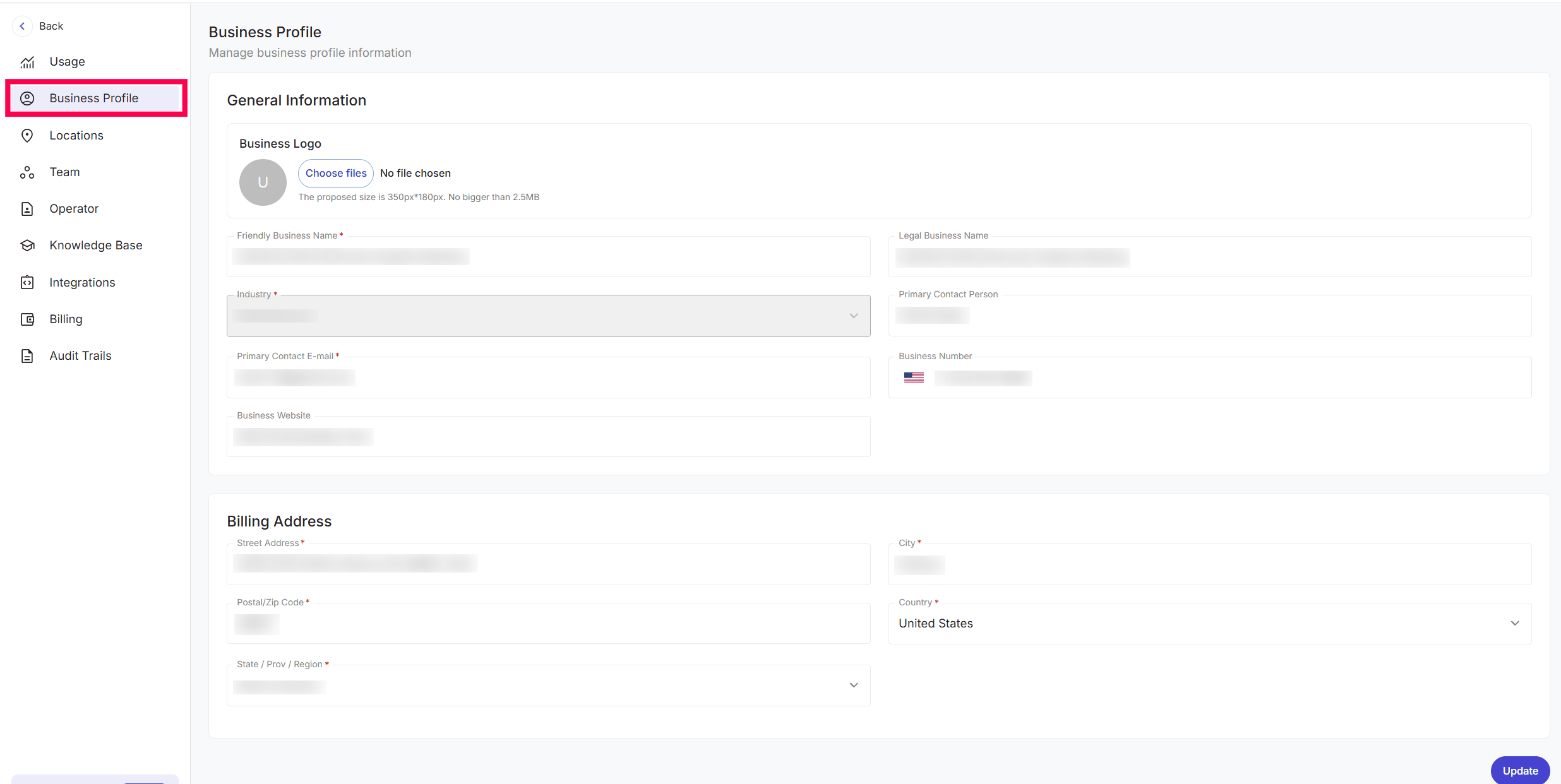
Review and edit the general business information.
Update the billing address if needed.
Review the values and select Update.
Field reference
Billing address
Review: Street Address, City, Postal/Zip Code, Country, State/Province/Region.
These details support payment processing and accurate account records.
Verify the result
Reopen Business Profile after selecting Update. Confirm the names and primary contact details.
Check the complete billing address.
Confirm that the intended logo and website are displayed.
Troubleshooting
Frequently Asked Questions
Can I change my business name after setting it up?
Can I change my business name after setting it up?
Yes. You can update both your Friendly Business Name and Legal Business Name anytime from this page. Just make the changes and click the Update button to save.
What happens if my billing address changes?
What happens if my billing address changes?
You should update it on this page as soon as possible. The billing address is used for payment processing and account records, so having an outdated address could cause issues with invoices or billing communications.
Related Articles
Was this helpful?
Still need help? Ask the team