RingCentral
Written By Anand Raj
Last updated 17 days ago
Call Forwarding connects RingCentral to your Kickcall agent without touching how your extension is provisioned. RingCentral keeps handling the call exactly as it does today — it simply forwards it to a Kickcall-provided number once it starts ringing. No device setup or SIP credentials are involved.
This guide walks through the full setup: getting a Kickcall-provided number, then adding it as a forwarding destination on your RingCentral extension.
How this compares to SIP Registration
Kickcall also supports connecting RingCentral through SIP Registration, covered in a separate guide. Here's a quick snapshot of how the two differ:
Why choose Call Forwarding. This method is the fastest to set up, requires no device provisioning or SIP credentials, and leaves your extension's existing configuration untouched. It's a great fit for a quick trial, a temporary setup, or a number that should only reach the agent under certain conditions — like after hours or overflow.
RingEX vs. RingCX — Which One Is This Guide For?
RingCentral sells two distinct products that are easy to confuse because of their similar names. This guide is written for RingEX — if your organization uses RingCX instead, the SIP Registration steps below don't apply in the same way, since RingCX is architected as a contact center platform rather than a per-extension phone system.
Note: This guide's SIP Registration and Call Forwarding steps apply to RingEX extensions. If you're on RingCX, contact your RingCentral admin about the equivalent contact-center integration path for Kickcall.
Step 1 — Get your Kickcall number
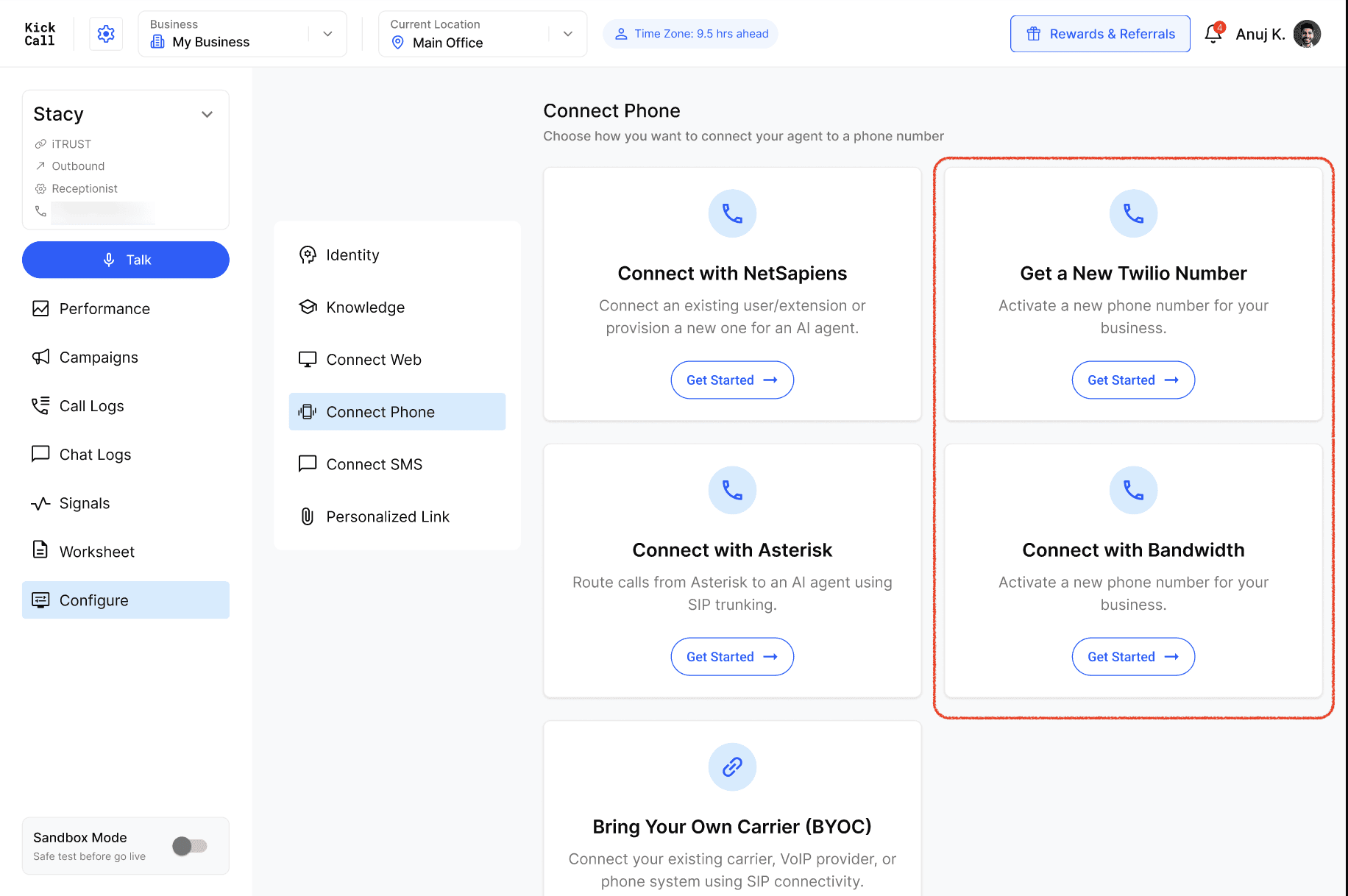
In Kickcall, create your agent (or open an existing one) and go to Configure → Connect Phone.
Click Get a New Kickcall Twilio Number or Connect with Bandwidth.
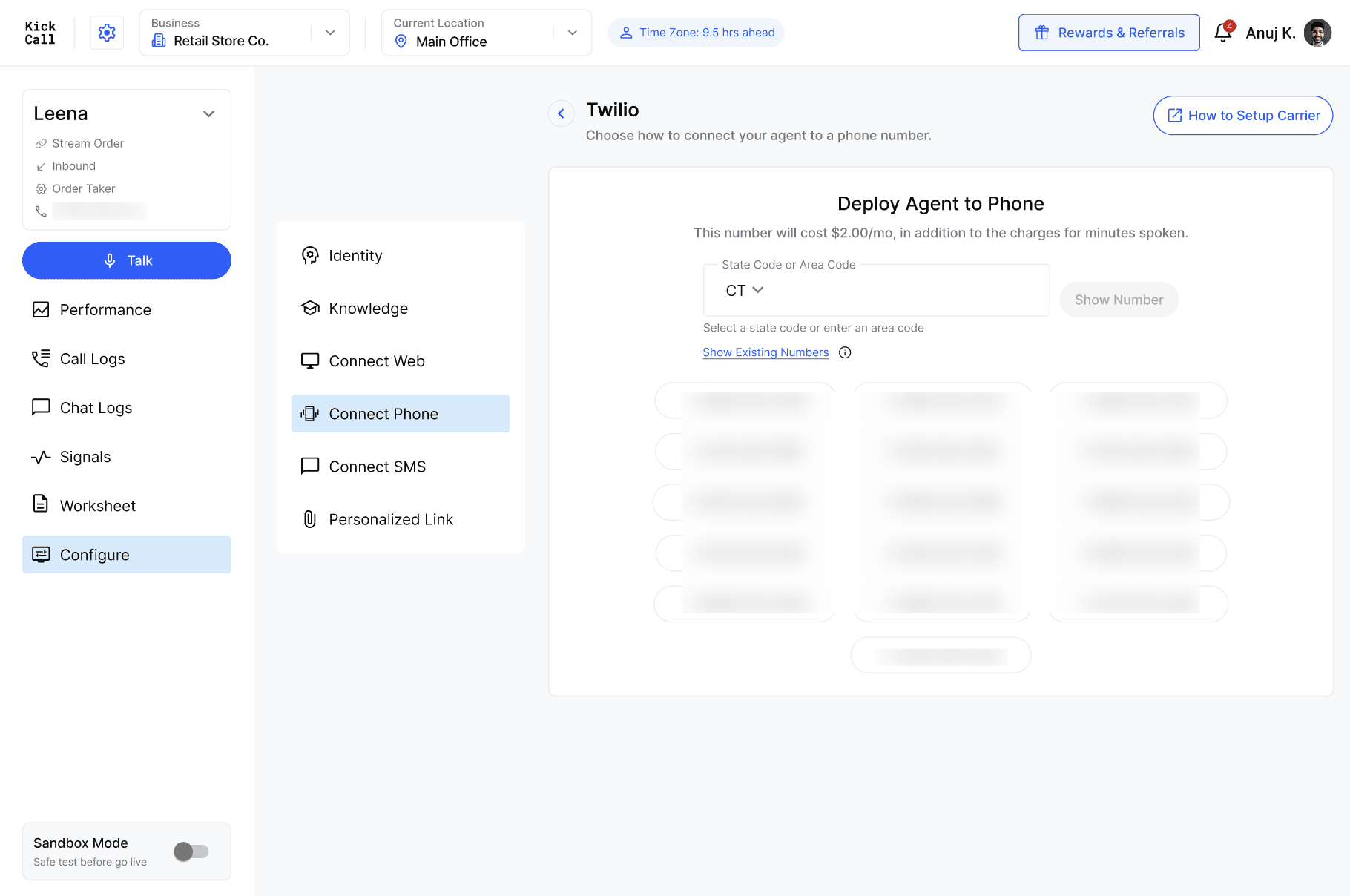
Click Show Number, then select a phone number. You can optionally search by entering an area code.
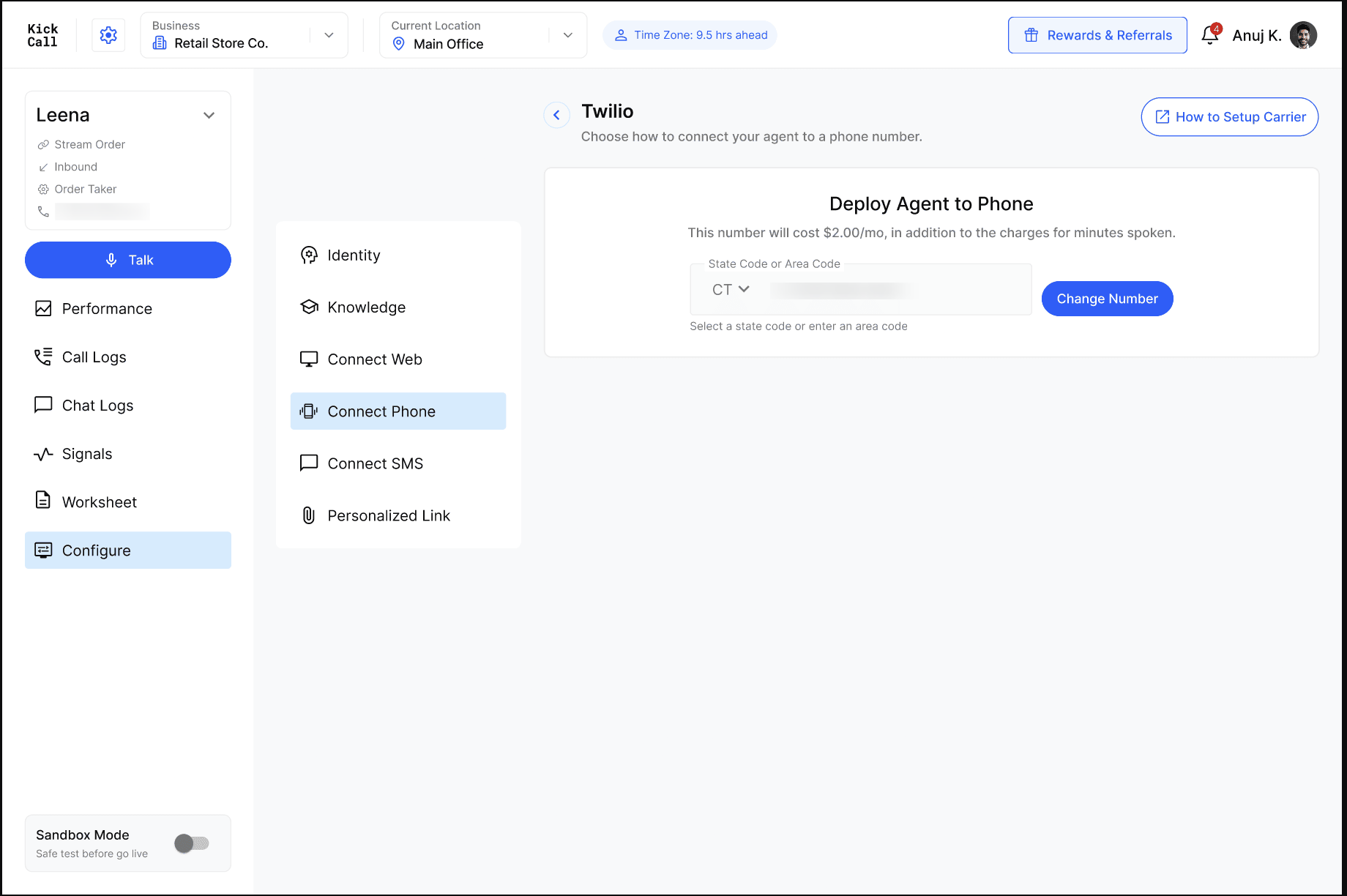
Note this number — you'll add it in RingCentral as the number to forward calls to.
Step 2 — Forward the RingCentral extension
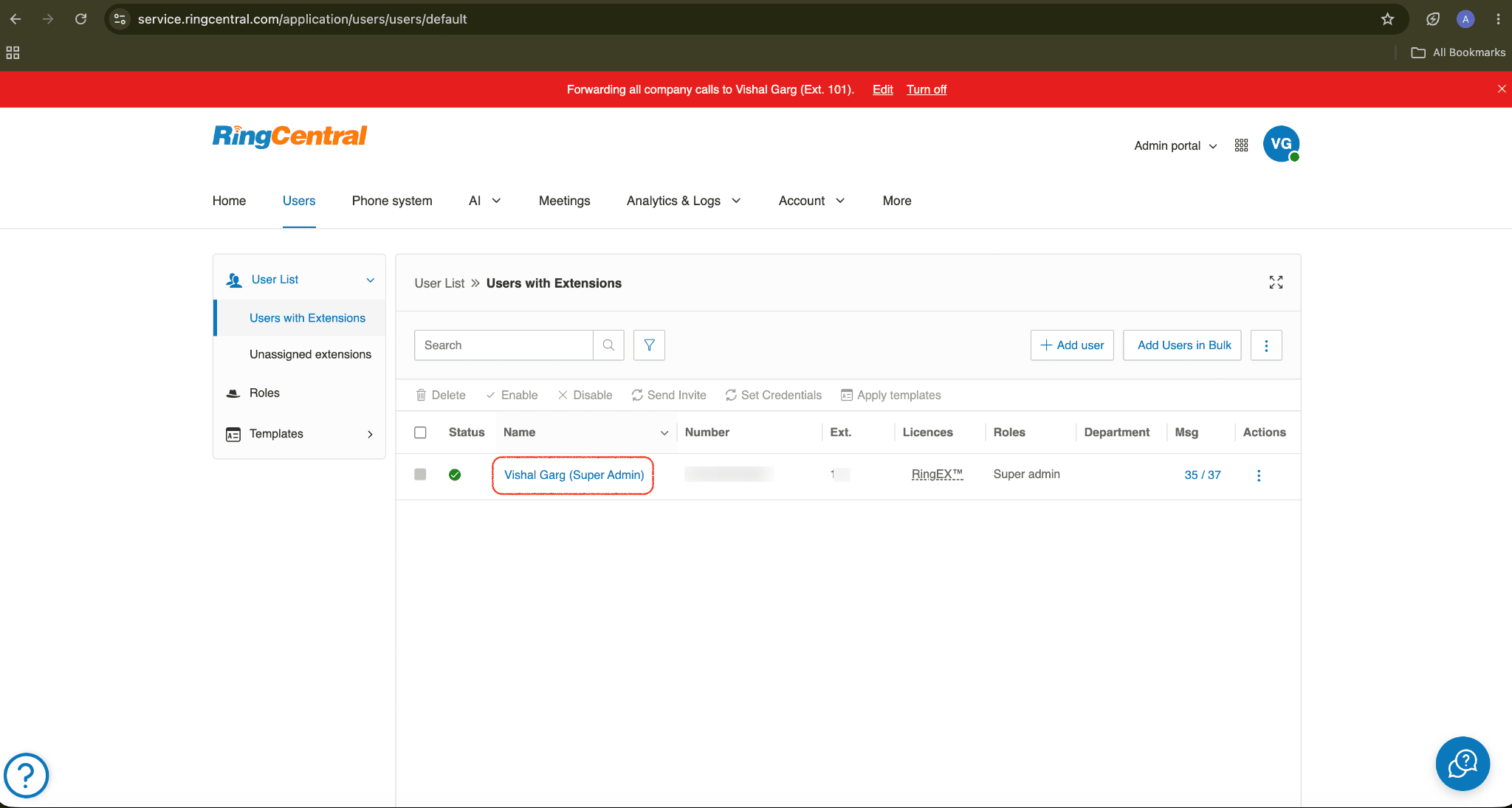
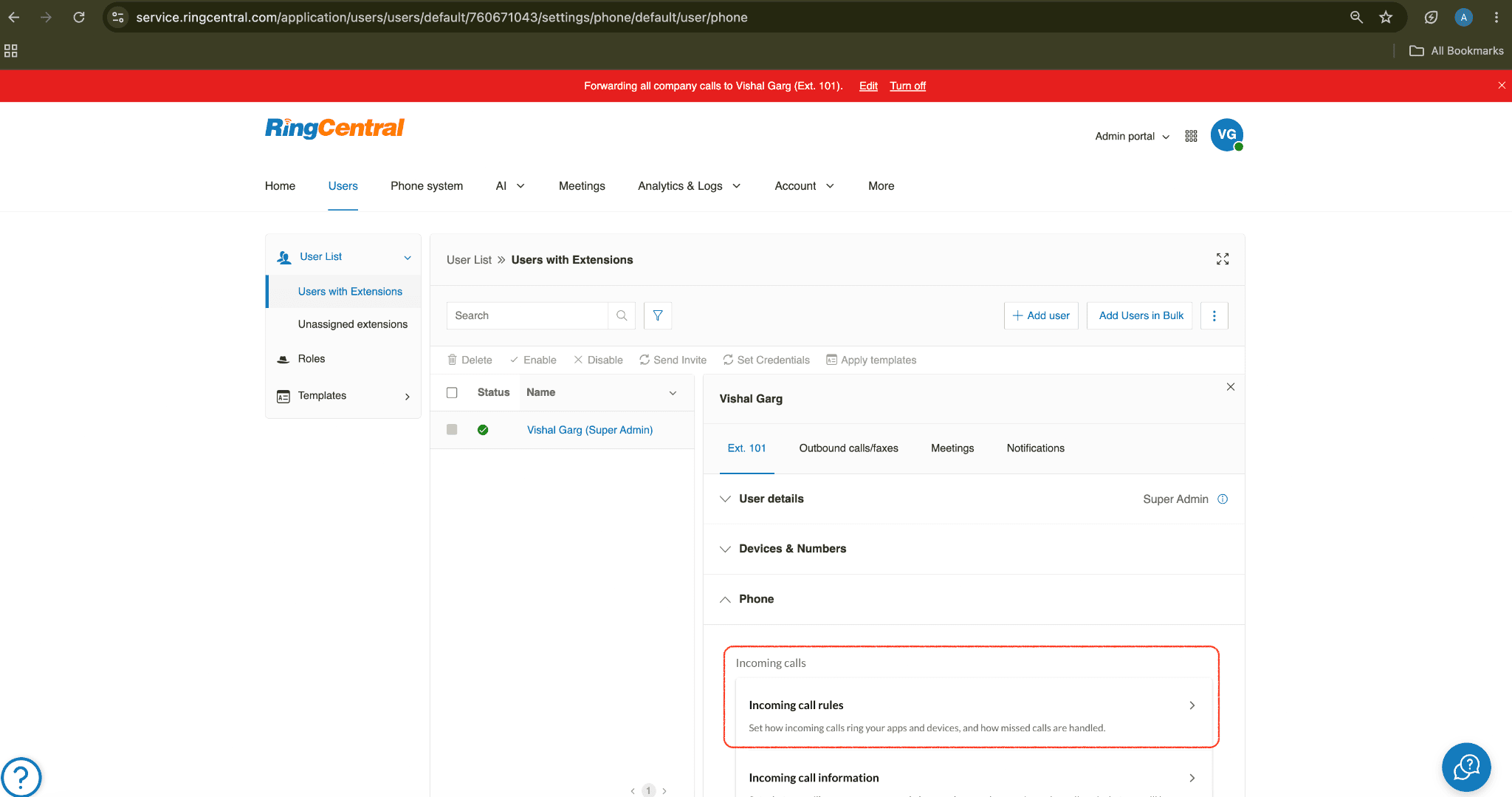
In the RingCentral Admin Portal, go to Users → User List and select the extension.
Open Phone → Incoming Call Rules.
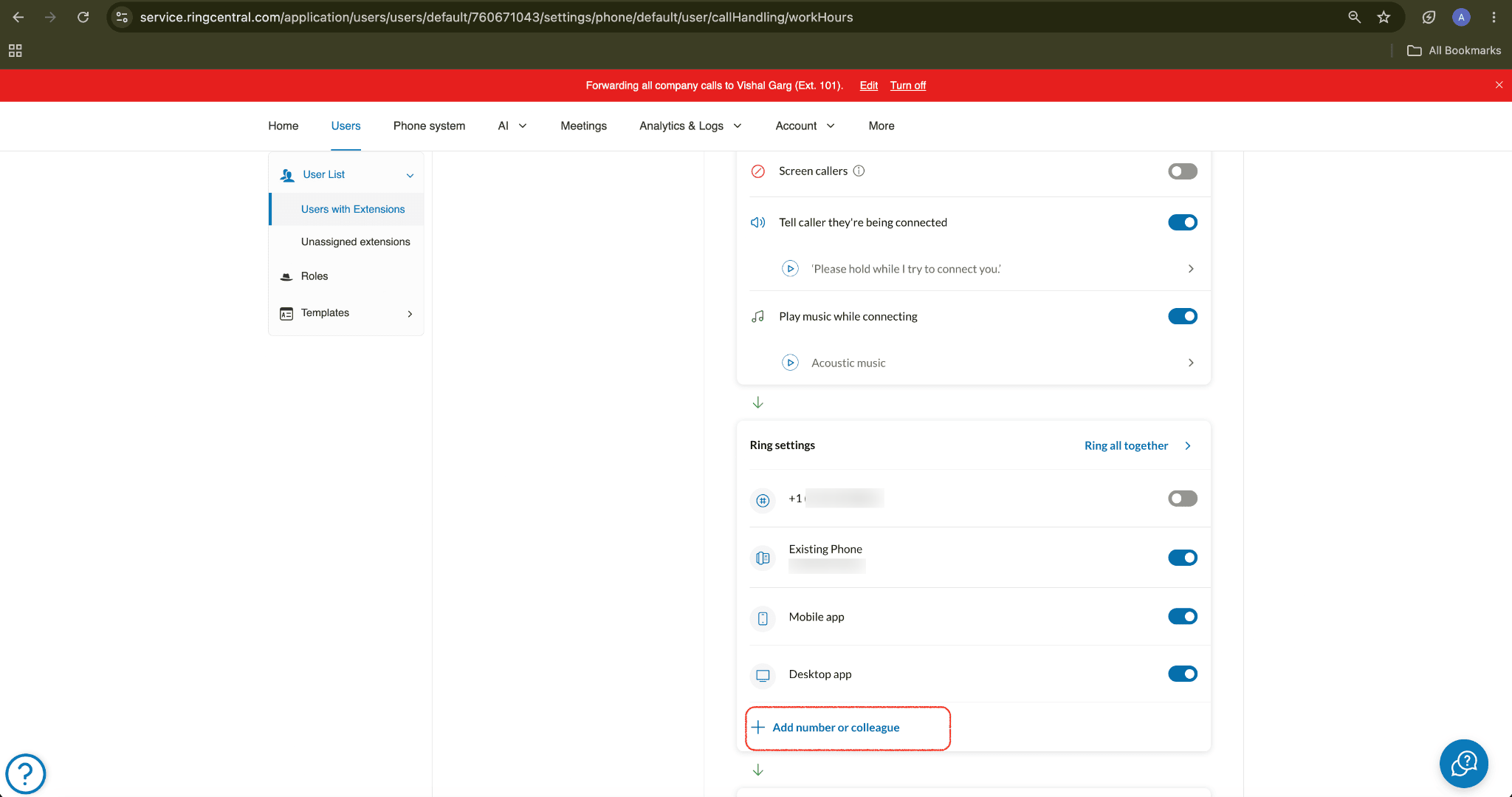
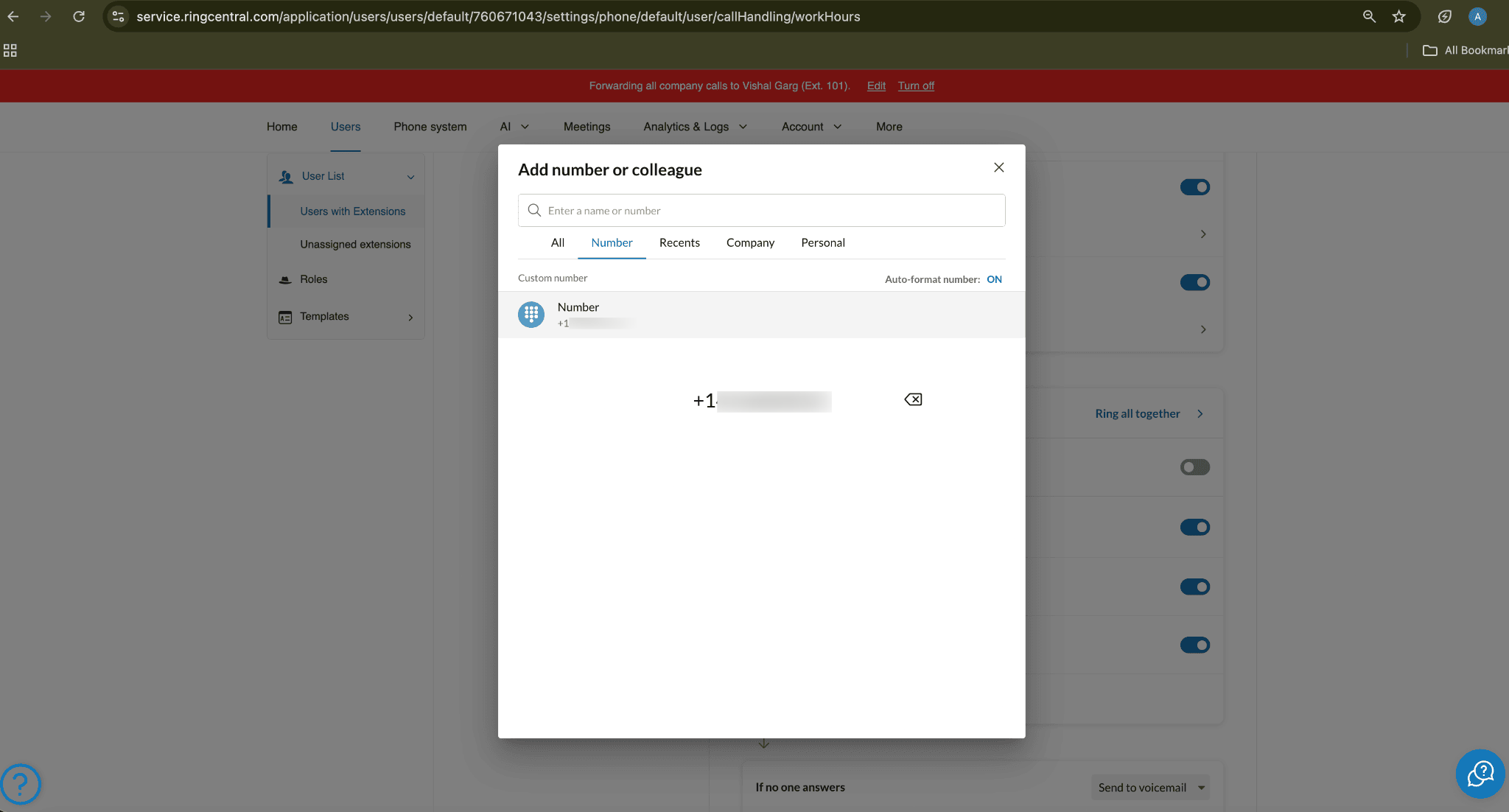
Choose either Work Hours or After Hours, click Add Number or Colleague, enter your Kickcall-provided number, then enable it.
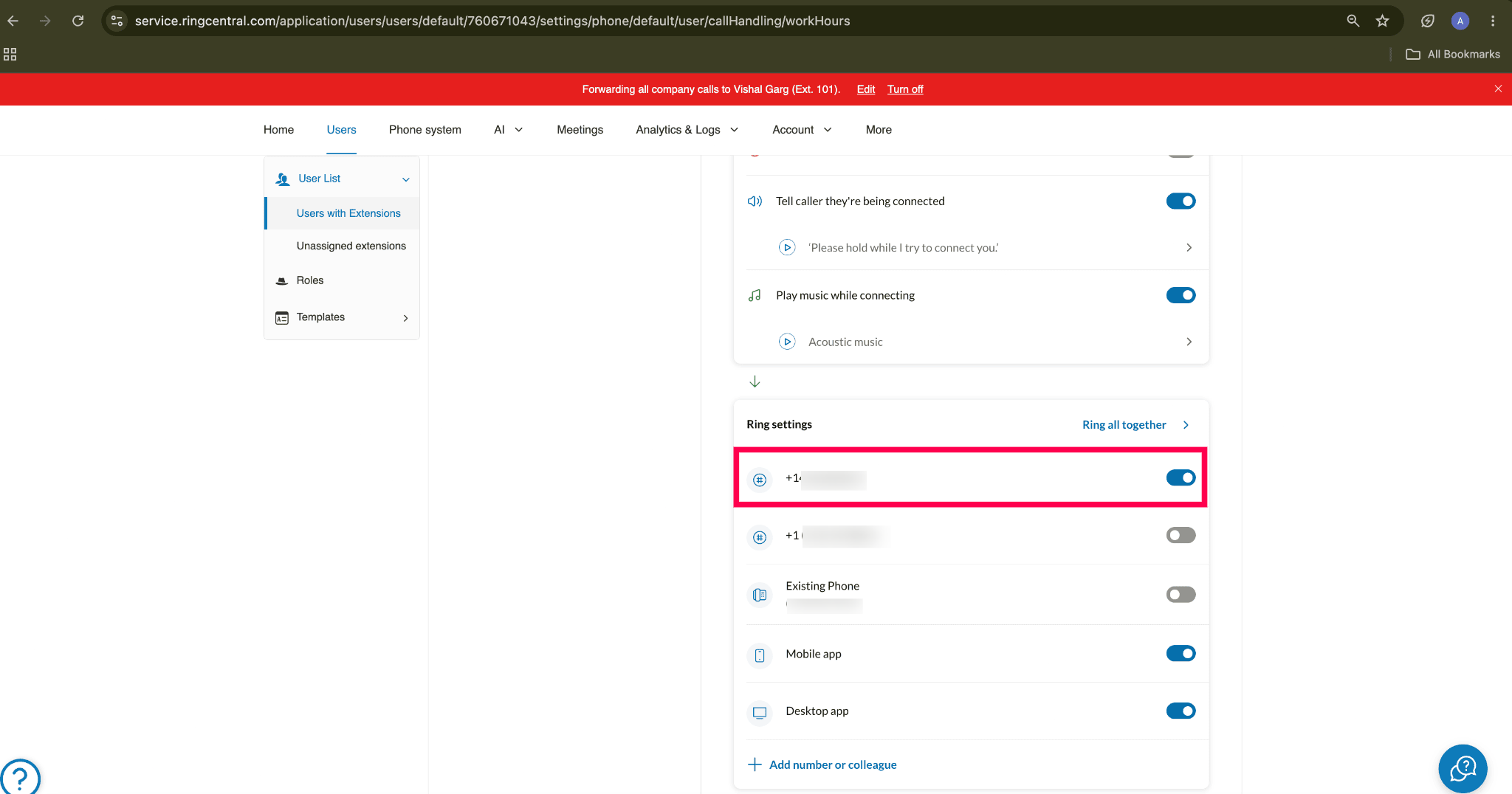
Save.
Place a test call to the extension's number to confirm it reaches the Kickcall agent.