How Do You Activate Kickcall Add-Ons and Review Their Charges?
Find out how to activate available add-on services and review the associated charges
Written By Maruf Ansari
Last updated 6 days ago
When your Business needs more than its main package - faster support, SMS on the number you already use, carrier-approved texting, automated admin tasks, or adding more concurrency you can add it without changing your plan. Add-Ons lets you review each optional service, see exactly what it costs, and activate or deactivate it yourself.
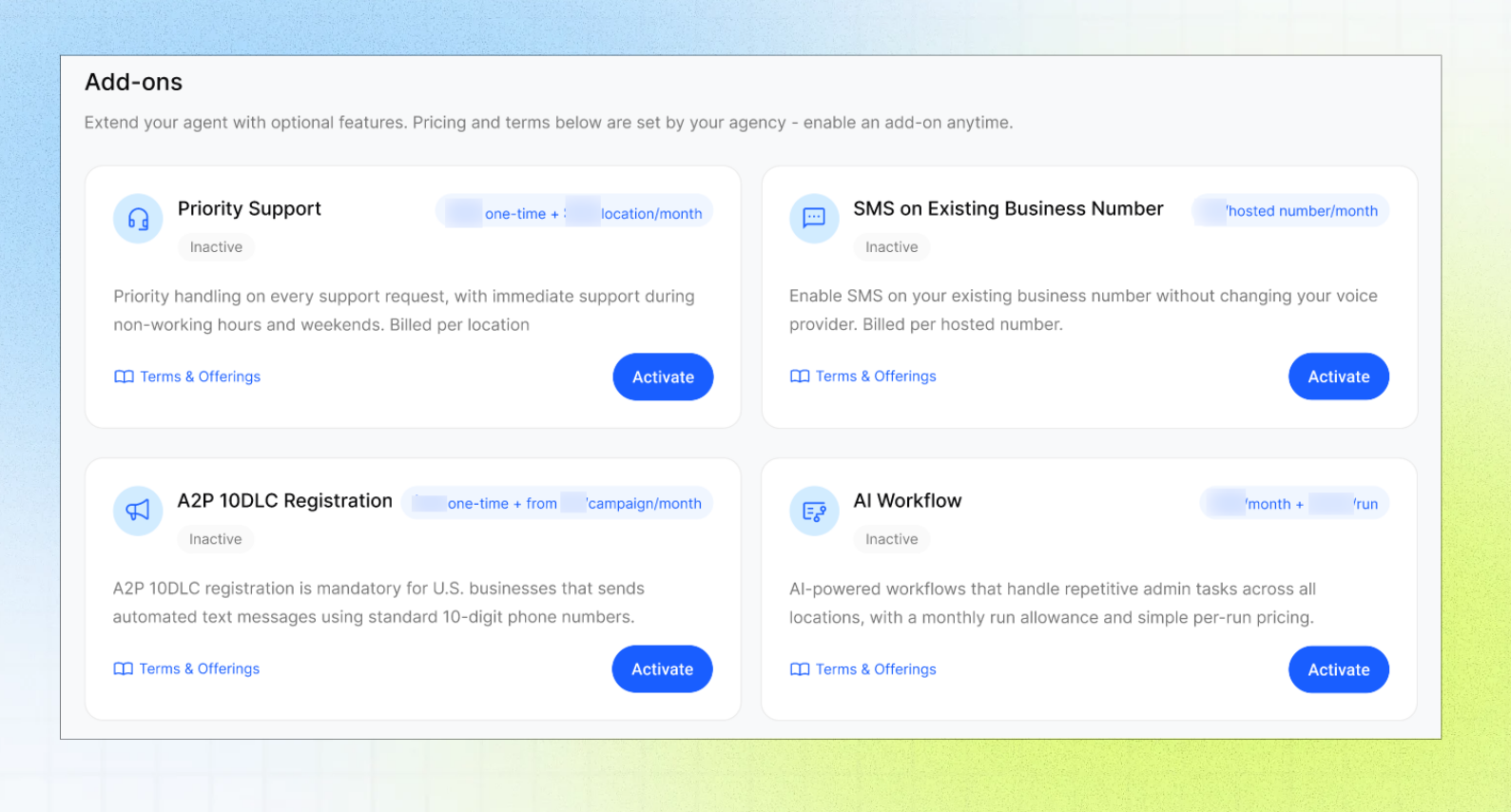
Add-Ons Overview
The Add-Ons page in the Business Portal lists optional services offered by your Agency, including their names, descriptions, statuses, pricing details, setup fees, usage rates, recurring charges, and commitment terms.
You can review the Terms & Offerings before activating an add-on and manage its status afterward. Your Agency determines which add-ons are available and sets their pricing and terms.
This guide is intended for Business users who manage their services and billing.
Before you start
Make sure you have:
Access to Add-Ons in the Business Portal.
Approval to accept the displayed charges and commitment.
Any information required for the service, such as a phone number or campaign type.
Important notes
Your Agency decides which add-ons are offered and sets their prices and commitment terms. Review Terms & Offerings before activating a service.
Activation can include setup fees, recurring charges, and usage charges. Always review the pricing summary and commitment in your portal before confirming.
Country availability: SMS on Existing Business Number and A2P 10DLC Registration are available only to Businesses in the United States and Canada. Businesses in any other country see both marked as Unavailable.
A2P registration fees are non-refundable once submitted, and carrier approval timing varies.
Scheduled cancellation does not necessarily stop the service immediately. Review the displayed end date.
Available add-ons
A2P campaign types
Low-Volume Mixed Campaign — conversational traffic such as appointments, reminders and replies.
Mixed Campaign — marketing or bulk messaging with higher carrier throughput.
One campaign covers the number limit shown in the activation panel.
How AI Workflow runs are counted
One run is one execution of a live workflow, regardless of how many steps it has.
Runs that fail because of the platform are not billed.
You can monitor run usage under Settings → Usage and in the Active Add-Ons section of Billing.
How the Concurrency Limit works
Each location includes a free concurrency allowance. The add-on adds extra simultaneous calls on top of it.
When you activate, you choose how many additional concurrent calls you need with the − / + stepper. The panel shows the resulting monthly charge before you confirm.
After activation, you can raise or lower the limit from the add-on or from the concurrency settings in Locations, where you also split the available calls between locations.
Charges are prorated based on your concurrency limit and billed at the end of the billing cycle. Reducing the limit does not adjust charges for the current cycle.
Activate an add-on
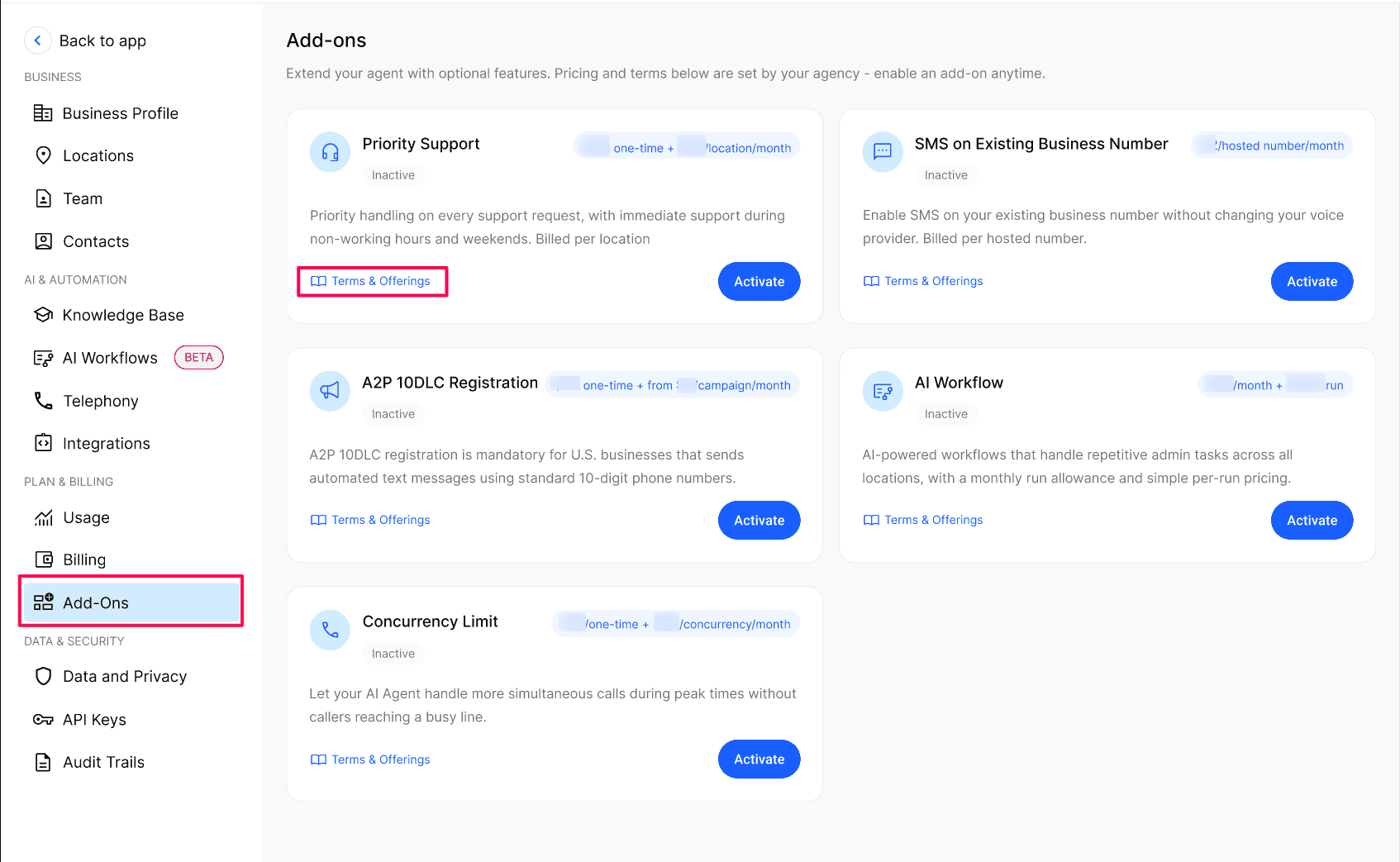
Open Add-Ons and select Terms & Offerings on the service you want. Review setup fees, recurring prices, allowances, minimum quantities, and commitments.
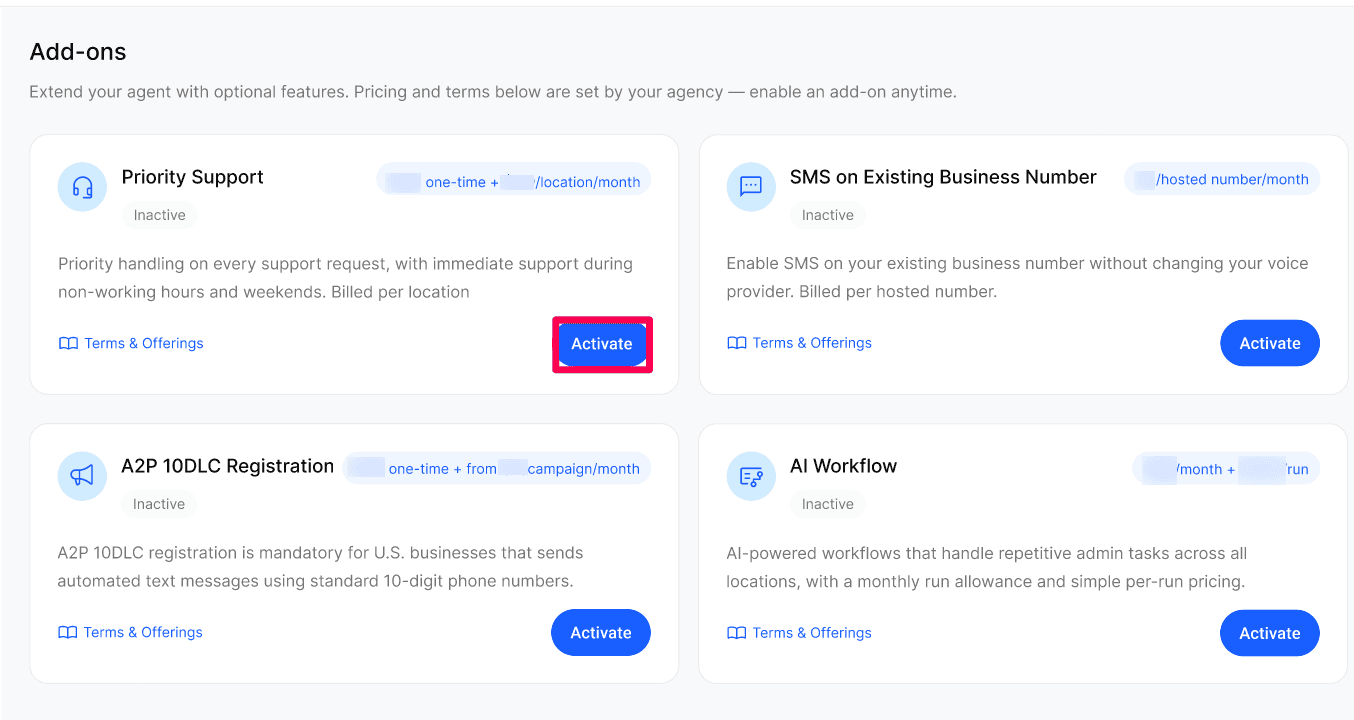
Select Activate Add-On and complete the service-specific requirements. For SMS hosting, enter the number and select Check Eligibility
Review Due Today and the recurring charges. Select the confirmation checkbox, then Confirm & Activate.
Schedule deactivation
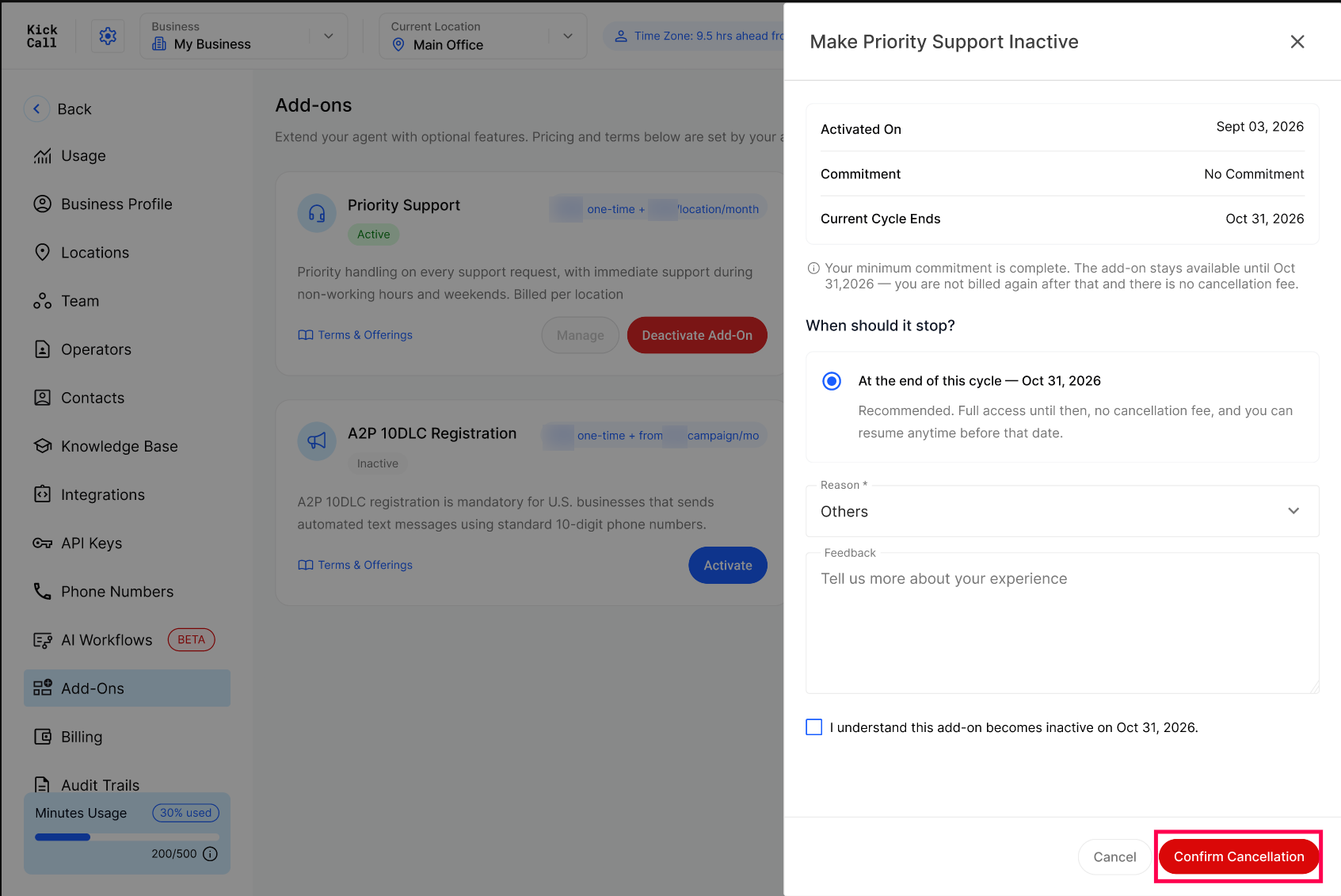
Select Deactivate Add-On on the active service.
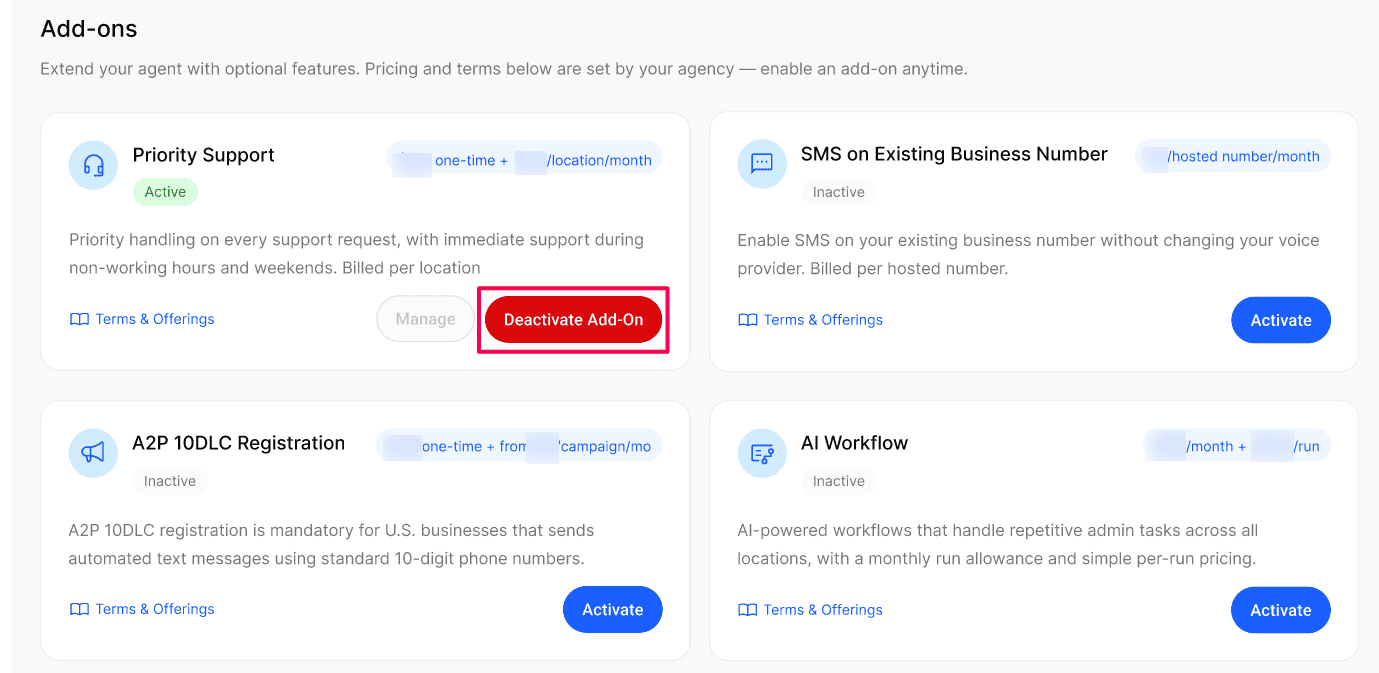
Review the activation date, commitment, and Current Cycle Ends date. Review the options under When should it stop?
Select a Reason and add optional Feedback. Select the confirmation checkbox, then Confirm Cancellation.
Keep a scheduled add-on active
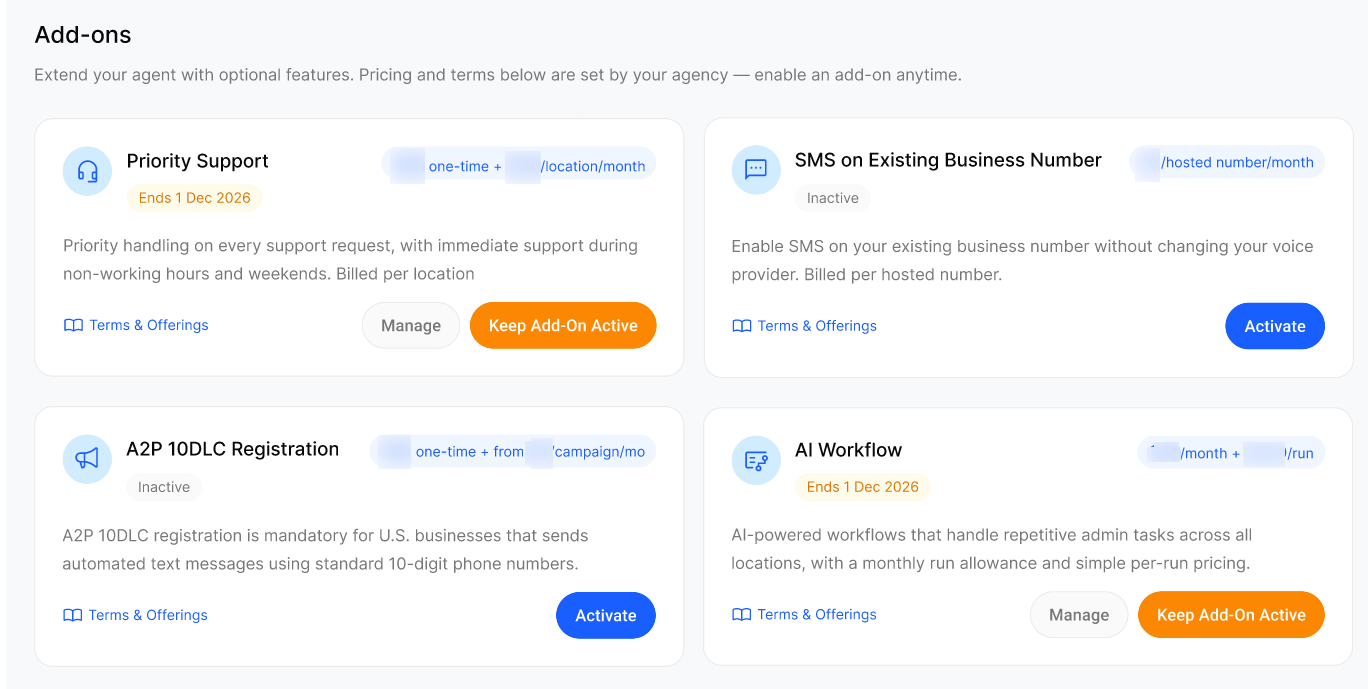
Before its scheduled end date, select Keep Add-On Active on the add-on card. This removes the scheduled cancellation and continues the service.
Status Reference
Expected Result
After activation, the card shows Active and the add-on appears in Active Add-Ons on the Billing page.
After deactivation, the card shows Ends with the date the add-on will stop.
Verify the Result
Open Billing and confirm the add-on is listed under Active Add-Ons with the expected pricing and commitment.
For SMS hosting or A2P, open Telephony and confirm the related tab is now available to set up.
For AI Workflow, check Settings → Usage to confirm runs are being counted.
Troubleshooting
Recovery
Activated the wrong add-on: deactivate it. It stays available until the current cycle ends; commitment terms still apply.
Deactivated by mistake: click Keep Add-On Active before the end date.
Picked the wrong A2P campaign type: contact your Agency. Registration fees are non-refundable once submitted.
Frequently Asked Questions
When am I charged for an add-on?
When am I charged for an add-on?
The Due Today amount is charged to your payment method when you confirm activation. Recurring charges then appear with your regular Business billing, prorated for the current cycle where the activation panel says so.
Why are the SMS and A2P add-ons unavailable?
Why are the SMS and A2P add-ons unavailable?
Does SMS hosting include A2P registration?
Does SMS hosting include A2P registration?
No. SMS hosting enables messaging on your existing number. US bulk or marketing messaging also needs the separate A2P 10DLC Registration add-on.
Does deactivating an add-on stop it immediately?
Does deactivating an add-on stop it immediately?
No. It stays available until the Current Cycle Ends date, then becomes inactive. You aren't billed again after that date.
How do I change my concurrency limit after activating?
How do I change my concurrency limit after activating?
Open the Concurrency Limit add-on or the concurrency settings in Locations and adjust the number of additional concurrent calls. Increases are prorated and billed at the end of the cycle; reducing the limit does not adjust charges for the current cycle.
What does a commitment term mean?
What does a commitment term mean?
The add-on stays subject to the term shown in its pricing summary, and it can affect what you're charged if you cancel early. Contact your Agency if you need help understanding it.
Why can my price differ from another Business?
Why can my price differ from another Business?
Your Agency sets the prices and terms for your Business. Use Terms & Offerings to see the exact charges that apply to you.
Related articles
Was this helpful?
Still need help? Ask the team